Beyond the Basics: Applying the Nyquist-Shannon Theorem for Advanced Accelerometer Biologging in Preclinical Research
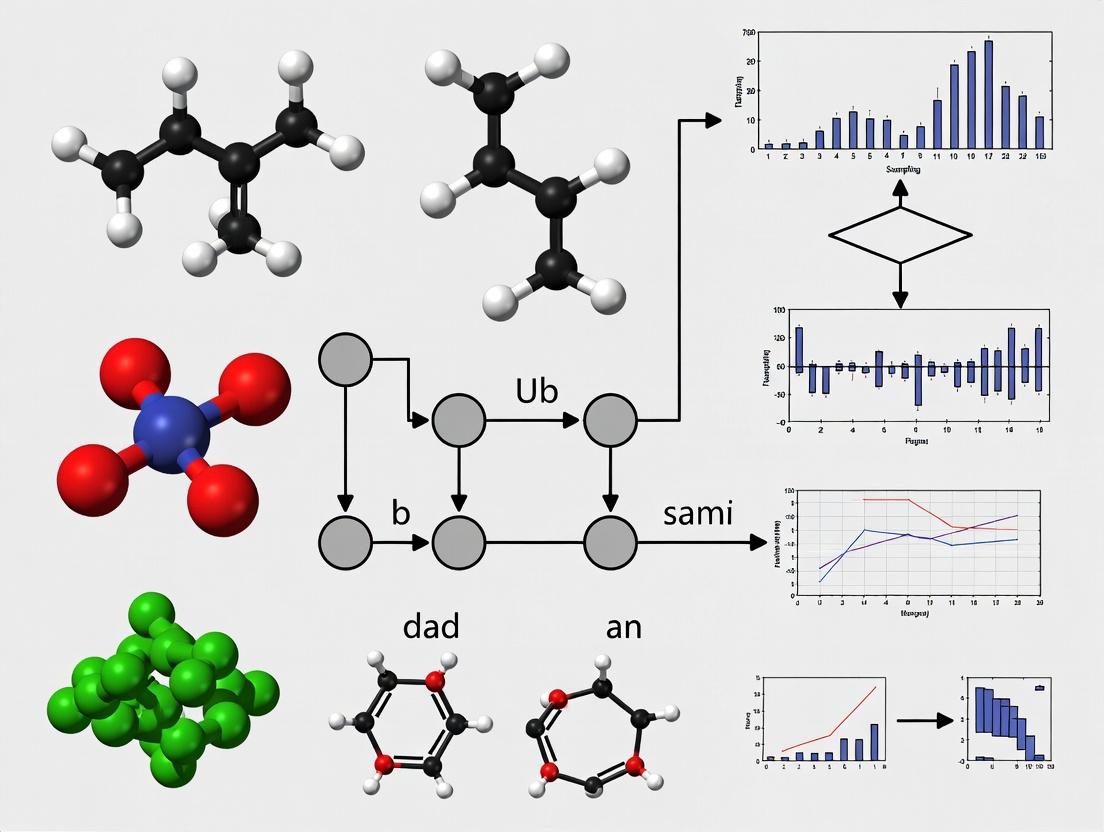
This article provides a comprehensive guide to the Nyquist-Shannon Sampling Theorem and its critical application in accelerometer-based biologging for biomedical research.
Beyond the Basics: Applying the Nyquist-Shannon Theorem for Advanced Accelerometer Biologging in Preclinical Research
Abstract
This article provides a comprehensive guide to the Nyquist-Shannon Sampling Theorem and its critical application in accelerometer-based biologging for biomedical research. We explore the foundational theory behind signal aliasing and its relevance to capturing meaningful biological motion data from animal models. The guide details methodological considerations for selecting appropriate sampling frequencies for diverse behaviors (e.g., tremor, gait, sleep-wake cycles) and discusses common pitfalls in system design that lead to data loss or artifact. We further examine validation strategies to ensure data fidelity and compare modern biologging hardware and software capabilities against theoretical requirements. Targeted at researchers and drug development professionals, this synthesis aims to optimize data collection protocols for robust, publication-ready outcomes in pharmacokinetic/pharmacodynamic (PK/PD) studies and disease phenotyping.
Decoding the Signal: The Nyquist-Shannon Theorem's Critical Role in Biologging Data Fidelity
Technical Support Center: Accelerometer Biologging Research
Troubleshooting Guides & FAQs
Q1: My accelerometer data looks "blocky" and misses rapid movements. What's wrong? A: This is a classic symptom of undersampling. The Nyquist-Shannon theorem states you must sample at more than twice the highest frequency component in your signal. If an animal's head-bob during feeding is 10 Hz, your sampling rate must be >20 Hz. A 15 Hz rate will alias this signal, creating false low-frequency data.
Q2: How do I determine the correct sampling rate for my new study species? A: Follow this protocol: 1. Pilot Study: Deploy a high-rate logger (e.g., 200 Hz) on a subset of animals. 2. Spectral Analysis: Compute the frequency spectrum (FFT) of the raw data. 3. Identify Max Frequency: Find the highest meaningful frequency with significant power (see table below). 4. Set Rate: Apply the Nyquist criterion (Rate > 2 * f_max). Add a safety margin (e.g., 2.5x).
Q3: My storage fills too fast at high sampling rates. Can I sample lower? A: Yes, but only after applying a proper low-pass anti-aliasing filter before downsampling. This removes frequency components above your new, lower Nyquist limit, preventing aliasing. Most biologgers have built-in hardware filters; know their cutoff.
Q4: Are my 5 Hz sampled dive data valid for detecting 2 Hz tailbeats? A: No. Your Nyquist frequency is 2.5 Hz (5/2). A 2 Hz signal can be captured, but with very poor temporal resolution, and any noise or slight increase in rate above 2.5 Hz will cause aliasing. For dynamic behaviors, sample at least 5x the expected maximum frequency.
Table 1: Recommended Minimum Sampling Rates for Common Biologging Applications
| Behavioral Metric | Typical Max Frequency (Hz) | Nyquist Minimum Rate (Hz) | Recommended Safe Rate (Hz) |
|---|---|---|---|
| Posture / Body Roll | 2-4 | 4-8 | 10-15 |
| Walking/Gait | 4-8 | 8-16 | 20-40 |
| Wingbeat (Large Birds) | 5-10 | 10-20 | 25-50 |
| Wingbeat (Hummingbirds) | 40-50 | 80-100 | 200-250 |
| Tailbeat (Fish) | 5-15 | 10-30 | 30-75 |
| Chewing/Mastication | 5-8 | 10-16 | 20-30 |
Table 2: Impact of Undersampling on Behavioral Classification Accuracy
| Sampling Rate (Hz) | Nyquist Freq (Hz) | Theoretical Max Detectable Freq (Hz) | Observed Classification Accuracy* (%) |
|---|---|---|---|
| 10 | 5 | 5 | 67.2 |
| 18 | 9 | 9 | 88.5 |
| 30 | 15 | 15 | 96.1 |
| 50 | 25 | 25 | 98.7 |
*Accuracy for distinguishing 5 distinct behaviors (including a 12 Hz head shake) in a controlled trial.
Experimental Protocols
Protocol: Empirical Determination of Required Sampling Rate Objective: To establish the minimum sampling frequency for accelerometer-based detection of species-specific behaviors. Materials: High-frequency accelerometer biologger, animal harness/mount, data retrieval & analysis software (e.g., R, Python w/ NumPy, SciPy). Method: 1. Calibration: Log simultaneously with a known, high-fidelity system (e.g., video at 100+ fps) for ground truth. 2. Deployment: Secure the high-rate logger on the study subject. Record for a period encompassing all behaviors of interest. 3. Data Processing: Download data. Isolate epochs for each distinct behavior using synchronized video. 4. Spectral Analysis: For each behavioral epoch, perform a Fast Fourier Transform (FFT) to convert the signal from the time domain to the frequency domain. 5. Power Assessment: Plot the frequency spectrum. Identify the highest frequency component that contains significant biological power (e.g., >5% of peak power). 6. Apply Nyquist Criterion: Set the minimum sampling rate (fs) as: fs > 2 * fmax, where fmax is the highest significant frequency found in Step 5. 7. Add Buffer: Multiply the derived f_max by a factor of 2.5-5 to ensure fidelity and account for individual variation. This is your operational rate.
Visualization: Signal Sampling Workflow
Title: Sampling Validity Workflow for Biologging Signals
Title: The Aliasing Effect of Undersampling
The Scientist's Toolkit: Research Reagent Solutions
Table 3: Essential Materials for Accelerometer Biologging Studies
| Item | Function | Key Consideration |
|---|---|---|
| Tri-axial Accelerometer Loggers | Measures proper acceleration (g-force) on 3 orthogonal axes. Raw data source. | Select range (±g), resolution, noise floor, and programmable sampling rate based on Nyquist needs. |
| Anti-Aliasing Hardware Filter | Low-pass filter applied to analog signal before digitization/sampling. | Critical. Removes high-frequency noise/biology above the Nyquist limit of your chosen sampling rate. |
| High-Speed Video System (Calibration) | Provides ground-truth behavioral frequency data. | Frame rate must significantly exceed accelerometer sampling rate (e.g., 5-10x) for validation. |
| Spectral Analysis Software (e.g., FFT) | Transforms time-series data to frequency domain to identify f_max. | Required for Protocol Step 4 to empirically determine necessary sampling rates. |
| Secure Animal Mounts/Harnesses | Minimizes logger movement relative to body part of interest. | Reduces high-frequency "slip" noise that can inflate f_max and require even higher sampling. |
| Low-Pass Digital Filter Software | For safe downsampling of high-rate data to conserve storage/processing power. | Must be applied after original high-rate sampling with anti-aliasing filter. |
Technical Support Center
Troubleshooting Guide: Accelerometer Biologging & Bandwidth Issues
Q1: Our accelerometer data appears to alias high-frequency behaviors (e.g., insect wingbeats, rodent whisking). How do we determine the correct sampling rate? A: This is a classic violation of the Nyquist-Shannon theorem. You must sample at more than twice the highest frequency component of the behavior of interest.
- Protocol: First, conduct a pilot study using the highest sampling rate your tag allows (e.g., 500 Hz). Use Fast Fourier Transform (FFT) analysis on the resulting data to identify the maximum significant frequency (Fmax) of the target behavior. The required minimum sampling rate (SRmin) is SRmin > 2 * Fmax. For safety and signal quality, a factor of 2.5-10 is common. For example, if bat echolocation calls are of interest at 100 kHz, your system must sample at >200 kHz.
- Data Summary:
| Behavior | Typical Frequency Range (Hz) | Nyquist Minimum SR (Hz) | Recommended SR (Hz) |
|---|---|---|---|
| Large Mammal Gait | 1-5 | >10 | 50-100 |
| Avian Wingbeats | 5-20 | >40 | 100-200 |
| Rodent Whisking | 10-15 | >30 | 100-200 |
| Insect Flight | 50-500 | >1000 | 250-1000+ |
Q2: How do we balance the 'bandwidth' of sensor data against logger battery life and memory storage? A: This trade-off is central to biologging design. Bandwidth here refers to the data flow rate (bits/second), determined by sampling rate and resolution.
- Protocol: Implement adaptive sampling or data compression.
- Adaptive Sampling: Program the logger to switch between a high SR during active periods (detected by a simple activity threshold) and a low SR during inactivity.
- Lossless Compression: Apply algorithms like run-length encoding on the fly.
- Calculate Data Yield: Data per second = Sampling Rate (Hz) × Bit Depth × Number of Axes. Reduce any parameter to save bandwidth.
- Data Summary:
| Strategy | Memory/Battery Saving | Potential Data Loss Risk |
|---|---|---|
| Reduce SR from 100Hz to 50Hz | ~50% saving | Loss of high-frequency signals |
| Reduce resolution from 16-bit to 12-bit | 25% saving | Increased quantization noise |
| Enable adaptive sampling | 40-70% saving (context-dependent) | May miss onset of rare events |
Q3: What does 'physiological bandwidth' mean in drug studies, and how is it measured? A: In physiology, 'bandwidth' can describe the dynamic range and speed of a biological system's response to a stimulus (e.g., heart rate response to stress, neuronal firing rate capacity).
- Protocol: To measure the bandwidth of a heart rate response:
- Implant a biologger (ECG/accelerometer).
- Apply a controlled stressor (e.g., graded exercise, drug infusion).
- Record the heart rate (HR) time series.
- Analyze the Step Response: Calculate the rise time (time for HR to go from 10% to 90% of max response). The system's approximate bandwidth ≈ 0.35 / rise time.
- Analyze the Frequency Response: Use system identification techniques from engineering to find the cutoff frequency where the response amplitude falls to -3dB.
- Data Summary:
| Physiological System | Typical Rise Time | Estimated Bandwidth | Modulating Drug Example |
|---|---|---|---|
| Rodent HR (Beta-adrenergic) | ~2 seconds | ~0.175 Hz | Isoproterenol |
| Human Pupillary Light Reflex | ~0.25 seconds | ~1.4 Hz | Pilocarpine, Tropicamide |
FAQs
Q: Can we use the Nyquist theorem for non-periodic, transient biological events (like a startle response)? A: Yes, but with caution. The theorem applies to the frequency content of any signal. A sharp transient contains very high frequencies. You must sample fast enough to capture the morphology of the event. Empirically, sample at a rate that yields 10-20 data points across the duration of the transient event.
Q: How does accelerometer 'range' (±g) relate to its bandwidth? A: They are separate specifications. Range (±2g, ±8g, etc.) is the amplitude limit before clipping. Bandwidth (often listed in Hz) is the frequency range it can measure accurately. A high-bandwidth accelerometer is needed for high-frequency vibrations, irrespective of its range.
Q: In signaling pathways, what is meant by 'signaling bandwidth'? A: It's a conceptual analogy for the pathway's capacity to transmit information over time. It can be limited by the rates of protein turnover, phosphorylation/dephosphorylation cycles, or feedback loops. A high-bandwidth pathway can resolve rapid changes in ligand concentration.
Experimental Protocol: Determining Minimum Sampling Rate for Behavior
Objective: To empirically determine the minimum required accelerometer sampling rate for a novel behavior. Materials: High-speed camera (>500 fps), high-frequency accelerometer logger (SR >500 Hz), animal model, synchronization tool (LED/audio pulse). Method:
- Synchronize the camera and accelerometer logger using a simultaneous pulse.
- Record the target behavior (e.g., mouse grooming, bird take-off) simultaneously with both systems.
- Manually annotate the precise start and end frames of the behavior from the video (ground truth).
- Extract accelerometer data across a range of digitally down-sampled rates (e.g., from 500 Hz down to 10 Hz).
- At each down-sampled rate, use an algorithm to detect the behavior's start/end.
- Compare algorithm detection times to video ground truth. The minimum acceptable SR is the lowest rate where the detection error is less than your threshold (e.g., <50ms).
Diagrams
Title: Workflow for Determining Sampling Rate
Title: Signaling Pathway with Feedback Limits Bandwidth
The Scientist's Toolkit: Research Reagent Solutions
| Item | Function in Bandwidth/Biologging Research |
|---|---|
| High-Frequency Accelerometer Loggers (e.g., ±16g, 500Hz bandwidth) | Captures high-frequency vibrations and transient movements; essential for defining physical bandwidth requirements. |
| Programmable Biologgers (with adaptive sampling SDK) | Allows on-board algorithm development to dynamically adjust sampling rate, optimizing data bandwidth vs. battery life. |
| System Identification Software (e.g., MATLAB System ID Toolbox) | Models physiological systems (e.g., cardiovascular response) to calculate their response time and intrinsic bandwidth. |
| β-adrenergic receptor agonists/antagonists (e.g., Isoproterenol, Propranolol) | Pharmacological tools to modulate the bandwidth of the cardiovascular stress response system in vivo. |
| Fast-Scan Cyclic Voltammetry (FSCV) Setup | Measures rapid (sub-second) changes in neurotransmitter concentration, probing chemical signaling bandwidth in the brain. |
| Telemetry Transmitters with Variable Data Rates | Enables real-world testing of how wireless transmission bandwidth constraints affect data fidelity. |
| High-Speed Video System (>1000 fps) | Provides ground-truth behavioral timing to validate and calibrate accelerometer-derived event detection algorithms. |
Technical Support Center
Troubleshooting Guides & FAQs
Q1: Our accelerometer data shows high-frequency "noise" during periods of animal rest. Is this biological or an artifact? A: This is a classic sign of aliasing. High-frequency movements (e.g., tremors, rapid breathing) are being undersampled. The true high-frequency signal is "folded back" into lower frequencies, appearing as noise in your rest spectrum.
- Protocol to Diagnose: Conduct a controlled bench test. Attach your logger to a vibration motor with a known frequency (e.g., 50Hz). Record at your typical field rate (e.g., 20 Hz). Use an oscilloscope to confirm the motor's true frequency. In your recorded data, you will observe a false, aliased frequency at |(50 Hz - n * 40 Hz)| = 10 Hz, where n is the integer multiple (here, n=1) of your Nyquist frequency (20 Hz).
Q2: We selected a 10 Hz sampling rate as it's twice our behavior of interest (5 Hz maximum). Why do we still see signal distortion? A: The Nyquist-Shannon theorem states the sampling rate must exceed twice the highest frequency component in the signal, not just the frequency of interest. Physiological signals contain harmonics.
- Protocol to Resolve:
- Perform a pilot study at a very high rate (e.g., 200 Hz) on a subset of subjects.
- Compute the Power Spectral Density (PSD) to identify the actual maximum frequency component (Fmax).
- Set your final sampling rate (Fs) such that Fs > 2 * Fmax. A safety factor of 2.5-3 is recommended for biologging.
Q3: How do I determine the minimum sampling rate for a novel species' behavior? A: Use an iterative, empirical protocol.
- High-Resolution Capture: Record the target behavior using a high-speed camera (e.g., 240 fps) synchronized with an accelerometer logging at its maximum rate (e.g., 400 Hz).
- Spectral Analysis: Compute the PSD of the high-rate accelerometer trace.
- Identify Roll-off: Find the frequency where signal power drops to the noise floor. This is your practical F_max.
- Calculate & Validate: Apply Nyquist (Fs > 2 * Fmax). Validate by downsampling your 400 Hz data to the proposed F_s and comparing the behavioral phenotype metrics (e.g., stroke frequency, energy expenditure) to the "gold standard" high-rate data.
Q4: Can anti-aliasing filters be applied post-hoc in software? A: No. Anti-aliasing must be performed by a hardware low-pass filter before analog-to-digital conversion. Once aliasing occurs during sampling, the original signal is irrecoverably corrupted. Software filters applied later cannot separate the aliased artifacts from the true signal.
Table 1: Impact of Undersampling on Behavioral Metric Accuracy
| Target Behavior (True Freq.) | Required Min. Rate (Nyquist) | Used Sampling Rate | Aliased Frequency Observed | Error in Calculated Energy Expenditure |
|---|---|---|---|---|
| Mouse Grooming (12 Hz) | >24 Hz | 20 Hz | 8 Hz | +42% |
| Avian Wingbeat (15 Hz) | >30 Hz | 25 Hz | 5 Hz | -68% |
| Primate Tremor (18 Hz) | >36 Hz | 40 Hz | None (Correct) | <2% (baseline noise) |
Table 2: Recommended Sampling Rates for Common Model Organisms
| Model Organism | Behavior of Interest | Practical F_max (from PSD) | Recommended Safe Sampling Rate (Fs = 2.5 * Fmax) |
|---|---|---|---|
| Laboratory Mouse | Locomotion, Grooming | 15 Hz | 37.5 - 40 Hz |
| Zebrafish | Bout Swimming, Turning | 30 Hz | 75 - 80 Hz |
| Rat | Rearing, Head Movement | 25 Hz | 62.5 - 64 Hz |
| Drosophila (on flymill) | Wingbeat, Micro-movements | 150 Hz | 375 - 400 Hz |
Experimental Protocols
Protocol 1: Empirical Determination of Minimum Sampling Rate (F_s) Objective: To establish a species- and behavior-specific sampling rate that prevents aliasing. Materials: High-capacity accelerometer logger, high-speed camera, data synchronization tool (e.g., LED pulse), analysis software (e.g., MATLAB, Python with SciPy). Steps:
- Securely attach the accelerometer to the subject.
- Synchronize logger and high-speed camera timestamps via a shared visual/electrical pulse.
- Record target behaviors for at least 50 repetitions.
- Download high-rate accelerometer data. Apply a conservative software high-pass filter (0.1 Hz) to remove drift.
- Compute the PSD using Welch's method.
- Identify the frequency bin where the PSD magnitude falls to within 3 dB of the baseline noise floor. This is F_max.
- Calculate Fs = 2.5 * Fmax. Round to the nearest available device setting.
- Validate by downsampling as described in FAQ Q3.
Protocol 2: Bench Validation of Logger Anti-Aliasing Hardware Objective: To verify the performance of the built-in anti-aliasing filter. Materials: Biologger, programmable shaker table, signal generator, reference industrial accelerometer. Steps:
- Mount the biologger and reference sensor to the shaker table.
- Drive the table with a sine wave from the signal generator. Start at 1 Hz, amplitude A.
- Record data from both sensors simultaneously.
- Incrementally increase the driving frequency up to 5x the logger's Nyquist frequency.
- For each run, measure the amplitude ratio (LoggerA / ReferenceA).
- Plot the frequency response (Bode plot). Confirm a steady roll-off (attenuation) starting before the Nyquist frequency, confirming the hardware filter is functional.
The Scientist's Toolkit
Research Reagent Solutions & Essential Materials
| Item | Function in Experiment |
|---|---|
| Tri-axial Accelerometer Biologger | Captures raw acceleration in three spatial dimensions. The core sensor for quantifying movement. |
| Programmable Shaker Table | Provides a ground-truth, frequency-controlled vibration source for bench-testing and calibration. |
| High-Speed Camera (>200 fps) | Provides visual validation and gold-standard timing for behavioral epochs and high-frequency movements. |
| Data Synchronization Tool (e.g., LED/Light Sensor) | Creates a precise shared timestamp across multiple recording devices (camera, logger). |
| Biocompatible Epoxy & Harness | Securely and safely attaches the logger to the study subject with minimal impact on natural behavior. |
| Signal Processing Software (MATLAB/Python w/ NumPy, SciPy) | Performs critical analyses: FFT/PSD, digital filtering (for validation only), downsampling simulations. |
| Reference Industrial Accelerometer | High-fidelity sensor used during bench tests to characterize the performance of the biologging hardware. |
Visualizations
Title: Workflow for Determining Sampling Rate
Title: How Aliasing Distorts Data: Two Paths
Technical Support Center: Troubleshooting & FAQs
FAQ 1: Why is my collected biologging data showing aliased, false low-frequency signals when monitoring high-frequency tremors in rodent models?
Answer: This is a classic aliasing artifact due to violating the Nyquist-Shannon sampling theorem. The theorem states that to accurately reconstruct a signal, the sampling rate (Fs) must be more than twice the highest frequency component present in the signal (Fs > 2 * f_max). If your accelerometer is set to Fs = 100 Hz, it can only correctly measure signal frequencies below 50 Hz (the Nyquist frequency). Any tremor or vibration frequency above 50 Hz will be "folded back" into the 0-50 Hz range, creating a false alias frequency. To resolve this, first conduct a pilot study to identify the maximum biological frequency of interest, then set Fs to at least 2.5 times that value.
FAQ 2: How do I determine the minimum sampling rate needed for my specific animal behavior study to conserve memory and battery life?
Answer: Follow this experimental protocol:
- Preliminary High-Rate Sampling: Deploy a logger on a representative subject with a very high Fs (e.g., 500-1000 Hz) to capture all possible signals.
- Spectral Analysis: Compute the Fourier Transform of the recorded data to identify the highest meaningful biological frequency component (f_max). Ignore very low-amplitude, high-frequency noise.
- Apply Nyquist Criterion: Calculate the required minimum Fs: Fsmin = 2 * fmax.
- Add Safety Margin: To account for filter roll-off and signal harmonics, use a practical Fs = 2.5 * fmax to 4 * fmax.
- Validate: Re-sample your high-rate data at the new, lower Fs and compare the downsampled signal to the original to ensure no critical information is lost.
FAQ 3: My anti-aliasing hardware filter is enabled, but I still see noise near the Nyquist frequency. What's wrong?
Answer: This is likely due to an imperfect (non-brick-wall) anti-aliasing filter. All real-world filters have a transition band. If your filter's cutoff is set too close to your chosen Nyquist frequency, some out-of-band noise will leak through. The solution is to set your system's Nyquist frequency (Fs/2) significantly higher than the filter's cutoff frequency. For example, if your biological signal is of interest up to 30 Hz, set the hardware filter cutoff to 30 Hz, but choose a sampling rate (Fs) of 150 Hz or more. This creates a guard band, allowing the filter to adequately attenuate signals above 30 Hz before they can alias.
Experimental Protocol: Validating Sampling Parameters for Novel Behavior Detection
Objective: To empirically establish the correct Fs and filter settings for quantifying a specific, high-frequency behavior (e.g., head twitch in mice) via accelerometry.
Methodology:
- Synchronization: Rigidly attach a high-fidelity, research-grade accelerometer (capable of >500 Hz) to the animal's headcap. Synchronize its clock with a high-speed video camera (≥250 fps).
- High-Rate Recording: Record tri-axial accelerometer data at Fs = 1000 Hz simultaneously with video of induced or spontaneous behavior.
- Video Annotation: Precisely label the onset and offset of the target behavior in the video footage.
- Signal Isolation: Extract the accelerometer signal epochs corresponding to the labeled behaviors.
- Power Spectral Density (PSD) Analysis: Perform PSD analysis on the isolated behavior epochs for each axis. Identify the 95% power frequency bandwidth—the range encompassing 95% of the signal's power.
- Determine fmax: The upper bound of the 95% bandwidth is your empirical fmax for that behavior.
- Downsampling Simulation: Digitally apply a low-pass anti-aliasing filter at f_max, then downsample the data to progressively lower Fs values (e.g., 400 Hz, 200 Hz, 100 Hz).
- Feature Comparison: Quantify key features (e.g., peak amplitude, burst duration) from the original and downsampled data. The highest Fs at which features show statistically significant degradation defines the minimum required Fs for your study.
Data Tables
Table 1: Recommended Sampling Rates for Common Biologging Applications
| Animal Model | Behavior of Interest | Approx. Signal Frequency Range | Minimum Recommended Fs (Nyquist) | Practical Fs (with safety margin) |
|---|---|---|---|---|
| Mouse/Rat | Gait, locomotion | 0-15 Hz | 30 Hz | 50-100 Hz |
| Mouse/Rat | Head twitch, tremor | 10-35 Hz | 70 Hz | 125-200 Hz |
| Primate | Limb movement, grooming | 0-10 Hz | 20 Hz | 40-60 Hz |
| Bird (small) | Wingbeat frequency | 5-50 Hz | 100 Hz | 200-250 Hz |
| Human (wearable) | Activity recognition, falls | 0-20 Hz | 40 Hz | 50-100 Hz |
Table 2: Impact of Insufficient Sampling Rate (Aliasing Examples)
| True Signal Frequency (Hz) | Sampling Rate (Fs) | Nyquist Frequency (Fs/2) | Observed (Aliased) Frequency (Hz) | Consequence for Research |
|---|---|---|---|---|
| 60 | 100 | 50 | 40 | High-frequency tremor misclassified as lower-frequency movement. |
| 80 | 100 | 50 | 20 | Neurological event signal aliased into normal physiological range. |
| 120 | 200 | 100 | 80 | Drug-induced hyperkinesia severity underestimated. |
Visualizations
Title: Workflow for Determining Sampling Rate (Fs)
Title: Anti-Aliasing Filter & Guard Band Principle
The Scientist's Toolkit: Research Reagent Solutions
| Item | Function in Biologging Signal Acquisition |
|---|---|
| High-Bandwidth, Low-Noise Accelerometer | Sensor capable of faithfully detecting the full range of biological accelerations with minimal self-generated electrical noise. Fundamental for defining true f_max. |
| Programmable Data Logger with Anti-Aliasing Hardware Filter | Device that applies a steep low-pass analog filter before digitization (ADC) to remove frequency components above the intended Nyquist frequency, preventing aliasing. |
| Synchronization Hardware (e.g., GPIO, LED pulse) | Enables precise temporal alignment of high-speed video and accelerometer data streams, critical for the validation protocol. |
| Signal Processing Software (e.g., Python SciPy, MATLAB) | Used to perform Spectral (FFT) analysis, apply digital filters, and simulate the effects of downsampling on signal features. |
| Calibration Shaker Table | Provides known, controlled frequency and amplitude vibrations for bench-testing the frequency response of the entire accelerometer-logger system. |
Technical Support Center: Troubleshooting & FAQs for Accelerometer Biologging
Frequently Asked Questions
Q1: What is the minimum sampling rate required to accurately identify tremor frequency in mice? A1: According to the Nyquist-Shannon sampling theorem, you must sample at least twice the highest frequency component present in the signal. For murine tremor, which can contain harmonics up to 40 Hz, a minimum sampling rate of 80 Hz is required. However, to ensure fidelity and account for potential higher-frequency components or filter roll-off, a sampling rate of 200-500 Hz is standard practice in published research.
Q2: My recorded gait data appears distorted or shows aliasing. What is the likely cause and solution? A2: Aliasing occurs when the sampling rate (fs) is less than twice the signal's maximum frequency (fmax). To resolve this:
- Immediate Fix: Apply a low-pass anti-aliasing filter with a cutoff frequency (fc) ≤ fs/2 before digitization. If post-processing, the only true fix is to re-sample with a higher fs.
- Prevention: Determine the maximum possible murine gait frequency (typically <25 Hz for stride kinematics, but consider impacts). Set fs to at least 2.5 times this value (e.g., 125 Hz minimum, but 250-1000 Hz is recommended).
Q3: How do I validate that my chosen sampling rate is sufficient for my specific experiment? A3: Perform a pilot study and spectral analysis.
- Record data from a subset of animals at a very high sampling rate (e.g., 1 kHz).
- Perform a Fourier Transform to identify the highest significant frequency component (f_observed).
- Set your final sampling rate to: fsfinal ≥ 2.5 * fobserved. This provides a safety margin (oversampling).
Q4: What are common sources of noise in accelerometer biologging, and how can they be mitigated? A4:
| Noise Source | Effect on Data | Mitigation Strategy |
|---|---|---|
| Power Line Interference | 50/60 Hz peaks in spectrum | Shield cables, use battery-powered loggers, apply a notch filter in post-processing. |
| Movement Artifact | Low-frequency (<5 Hz) baseline drift | Secure the logger firmly to the animal's body to minimize independent movement. Use high-pass filtering (>2 Hz) for tremor analysis. |
| Sensor Saturation | Clipped waveforms, loss of data | Calibrate and set the accelerometer's dynamic range (±g) to exceed expected murine movement forces. |
| Wireless Interference | Data packet loss | Use shielded enclosures, ensure proper frequency bands, and test in the experimental environment. |
Troubleshooting Guides
Issue: Inconsistent Frequency Measurements Between Identical Treatment Groups
- Check 1: Verify Uniform Sampling Parameters. Ensure all loggers in the study are configured with identical sampling rate (fs), resolution, and filter settings. A mismatch will cause systematic analysis errors.
- Check 2: Confirm Logger Attachment. Inconsistent attachment (e.g., loose vs. tight, slightly different location on the skull/back) alters the mechanical coupling and can modify the recorded frequency spectrum. Standardize the surgical or adhesive protocol.
- Check 3: Analyze Raw vs. Processed Data. Ensure all data is being processed with the same digital filter cutoff frequencies and FFT parameters (window type, window size, overlap). See the standardized protocol below.
Issue: Poor Signal-to-Noise Ratio (SNR) Obscuring Tremor Peaks
- Step 1: Isolate the Signal Axis. Use only the accelerometer axis most aligned with the primary tremor direction (often the dorsoventral axis).
- Step 2: Apply a Band-Pass Filter. Digitally filter the raw data to the physiologically plausible range (e.g., 6-40 Hz for tremor). This removes low-frequency gait drifts and high-frequency noise.
- Step 3: Use Power Spectral Density (PSD). Analyze the filtered signal using PSD (e.g., Welch's method) instead of a simple FFT to better distinguish consistent spectral peaks from random noise.
Detailed Experimental Protocol: Determining Maximum Frequency & Setting Sampling Rate
Objective: To empirically determine the maximum frequency component in murine gait or tremor for a specific strain, model, and logger placement, in order to correctly apply the Nyquist-Shannon theorem and set the sampling rate.
Materials: (See "Research Reagent Solutions" table below). Method:
- Pilot Recording: Implant/attach the accelerometer on a representative animal. Record data at the maximum possible sampling rate of your system (e.g., 1 kHz) for the full range of behaviors (rest, walk, tremor episode, etc.).
- Data Segmentation: Isolate raw acceleration traces for each behavior of interest.
- Spectral Analysis: a. For each segment, compute the Power Spectral Density (PSD). b. Identify the frequency at which the power falls below a defined threshold (e.g., -40 dB relative to the peak power, or reaches the noise floor). This is your observed maximum frequency (fmaxobs).
- Calculate Sampling Rate: Apply the Nyquist-Shannon criterion with a safety factor: Required fs = 2.5 * fmaxobs. Round up to the nearest available setting on your logger.
- Validation: Record new data at the calculated fs. Re-process and ensure no aliasing is present and that the spectral features of interest (peak tremor frequency) are unchanged from the high-speed pilot recording.
The Scientist's Toolkit: Research Reagent Solutions
| Item | Function & Rationale |
|---|---|
| Miniaturized Tri-axial Accelerometer | The primary sensor. Measures proper acceleration (g-forces) in three spatial axes. Critical for capturing multi-directional movement components. |
| Biotelemetry Implant/Logger | Houses the accelerometer, battery, and microcontroller. Allows for wireless, unrestrained data collection from freely moving mice. |
| Anti-Aliasing (Low-Pass) Hardware Filter | An electronic circuit that removes frequency components above the Nyquist frequency (fs/2) before sampling. Prevents irreversible aliasing artifacts. |
| Data Acquisition (DAQ) System | Hardware/software that digitizes the analog accelerometer signal at a defined fs and resolution (bits). Must support sufficient sampling rates. |
| Spectral Analysis Software (e.g., Python SciPy, MATLAB) | Used to perform FFT/PSD analysis and identify dominant frequency components in the recorded time-series data. |
| Surgical Adhesive/Securing Mount | Ensures stable and consistent mechanical coupling between the accelerometer and the mouse's body. Reduces motion artifact noise. |
Visualizations
Workflow for Determining Sampling Rate
Nyquist Theorem: Ideal vs. Aliasing Sampling
Signal Processing Workflow for Frequency Analysis
Designing Rigorous Protocols: Sampling Rate Selection for Preclinical Behavior & PK/PD Studies
Technical Support Center
Troubleshooting Guides & FAQs
Q1: Our accelerometer data for rodent tremor analysis appears undersampled and aliased. How do we determine the correct sampling rate (Fs) for fine motor behavior? A: Fine motor tremors in rodents can have frequency components up to 25 Hz. According to the Nyquist-Shannon theorem, you must sample at more than double the highest frequency of interest. For safety and to capture waveform details, a factor of 5-10x is standard.
- Recommended Protocol: For pharmacologically-induced tremors (e.g., with harmaline), start with Fs = 250 Hz. Use a digital anti-aliasing (low-pass) filter with a cutoff frequency (Fc) at 0.4 * Fs (e.g., 100 Hz for 250 Hz Fs) during data acquisition or as the first processing step.
Q2: When monitoring ambulatory activity (like locomotion in an open field), our high sampling rate creates massive, unwieldy data files. Can we reduce the rate? A: Yes. Gross ambulatory activity (walking, rearing) is characterized by lower frequency movements, typically below 15 Hz. Sampling at 50-100 Hz is often sufficient. Reducing Fs from 500 Hz to 50 Hz decreases file size by 90%.
- Recommended Protocol: If your hardware allows, set the onboard filter to 20 Hz and sample at 100 Hz. If downsampling in post-processing, first apply a stringent low-pass filter at the new Nyquist frequency (e.g., filter to 25 Hz before downsampling to 50 Hz) to prevent aliasing.
Q3: How do we validate that our chosen sampling rate is adequate and no aliasing has occurred? A: Perform a pilot frequency spectrum analysis.
- Validation Protocol:
- Record a short, high-fidelity sample of the behavior at your hardware's maximum rate (e.g., 500 Hz).
- Compute the Fast Fourier Transform (FFT) to identify the highest significant frequency component.
- Apply your intended lower sampling rate and anti-aliasing filter digitally to this high-fidelity data.
- Compare the power spectral density (PSD) of the original and downsampled signals. If power appears artificially at lower frequencies in the downsampled data, aliasing is present, and your Fs is too low or your filter cutoff is too high.
Q4: We are studying drug effects on behavior that includes both tremors and locomotion. Should we use one universal sampling rate or different rates? A: For integrated behavioral studies, sample for the most demanding signal (tremor). Use a single, high rate (e.g., 200-250 Hz) with appropriate channel-specific filtering during analysis. Modern biologgers can handle this data volume, and it simplifies experimental design.
Q5: What is the impact of sampling rate on battery life for wireless biologgers? A: Power consumption scales approximately linearly with sampling rate. Doubling Fs can halve operational lifetime.
- Solution: Use duty-cycling. Program the logger to sample at a high rate (250 Hz) only during short, triggered epochs (e.g., when overall acceleration exceeds a threshold) and at a low rate (10 Hz) for baseline monitoring.
Data Presentation: Sampling Rate Recommendations
Table 1: Behavior-Sampling Rate Matrix for Accelerometer Biologging
| Behavioral Phenotype | Key Frequency Range | Minimum Nyquist Rate (Hz) | Recommended Sampling Rate (Hz) | Primary Research Application |
|---|---|---|---|---|
| Fine Motor Tremor | 6 - 25 Hz | 50 | 200 - 250 | Parkinson's disease, EPS drug screening |
| Gait & Stride Kinematics | 1 - 15 Hz | 30 | 60 - 100 | Spinal cord injury, osteoarthritis pain models |
| Ambulatory Locomotion | 0.5 - 10 Hz | 20 | 30 - 50 | Open field tests, general activity monitoring |
| Resting Respiration | 1 - 4 Hz | 8 | 20 - 40 | Anxiolytic or respiratory drug studies |
| Circadian Activity | < 0.001 Hz | 0.002 | 1/60 (1 sample/min) | Long-term circadian rhythm studies |
Experimental Protocols
Protocol 1: Establishing the Minimum Sampling Rate for a Novel Behavior
- Instrumentation: Implant or affix a high-fidelity accelerometer (capable of ≥500 Hz sampling) to the subject.
- Calibration: Record during a standardized behavioral assay designed to elicit the target behavior.
- High-Rate Capture: Acquire data at the maximum rate (Fs_max) for ≥5 minutes.
- Spectral Analysis: For each axis (X, Y, Z), compute the Power Spectral Density (PSD) using a Welch method.
- Determine Fmax: Identify the frequency (Fmax) at which 95% of the cumulative signal power is contained.
- Calculate Fsmin: Apply the Nyquist criterion: Fsmin = 2.5 * F_max (using a safety factor). This is your empirically derived minimum sampling rate.
Protocol 2: Post-Hoc Downsampling Without Aliasing
- Start with Hi-Fi Data: Begin with data sampled at a validated high rate (Fs_original).
- Apply Anti-Aliasing Filter: Digitally apply a zero-phase, low-pass FIR filter. Set the filter's cutoff frequency (Fc) to 40% of your target new sampling rate (Fsnew). (e.g., For Fsnew = 50 Hz, set Fc = 20 Hz).
- Resample: Use a decimation algorithm (e.g.,
scipy.signal.decimate) to downsample the filtered data to Fs_new. - Validate: Compare the PSD of the original (filtered to Fc) and downsampled data to ensure spectral integrity.
Mandatory Visualization
Decision Tree for Sampling Rate Selection
Visual Demonstration of Signal Aliasing
The Scientist's Toolkit
Table 2: Key Research Reagent Solutions for Accelerometer Biologging
| Item | Function/Description | Example Vendor/Part |
|---|---|---|
| Tri-axial MEMS Accelerometer | Core sensor measuring acceleration in 3 spatial planes. Key specs: bandwidth, noise density, dynamic range. | Analog Devices ADXL354, Texas Instruments INA333 |
| Programmable Biologger | Device for data acquisition, storage, and timing. Must allow control of Fs and filtering. | Starr Labs DSI, Data Sciences International, Kaha Sciences |
| Anti-Aliasing Filter | Hardware or software filter that removes frequency components above Nyquist before sampling. | Embedded in logger, or implemented digitally (e.g., Butterworth FIR in software). |
| Surgical Adhesive/Helmet | For secure, long-term attachment of the sensor to the subject (mouse, rat, primate). | Silicone-based adhesive (Kwik-Sil), dental acrylic, custom miniaturized helmet. |
| Calibration Shaker Table | Precision table to generate known acceleration frequencies (1-100 Hz) for sensor validation. | TiraVib 510, or custom-built using calibrated vibration motors. |
| Spectral Analysis Software | Tool for computing Power Spectral Density (PSD) to identify signal frequency components. | MATLAB Signal Processing Toolbox, Python (SciPy), Spike2. |
Technical Support Center
Troubleshooting Guides
Issue 1: Premature Battery Depletion in Chronic Accelerometer Implants
- Problem: Implanted device battery drains faster than the calculated lifetime, terminating long-term studies prematurely.
- Diagnosis Steps:
- Verify the programmed sampling frequency (
f_s) against the Nyquist-Shannon criterion for your signal of interest (e.g., rodent movement). Unnecessarily highf_sis a primary drain. - Check the accelerometer's dynamic range setting. A wider range than required increases power per sample.
- Use device diagnostics to log the rate of "wake-up" events from sleep mode. Excessive wakes can indicate interrupt misconfiguration.
- Verify the programmed sampling frequency (
- Resolution:
- Re-assess the highest frequency component (
f_max) in your behavioral phenotype. Setf_sto 2.5-5 timesf_max(providing a safety margin), not the maximum capable rate. - Conduct a calibration experiment to determine the minimum sufficient dynamic range (e.g., ±4g vs. ±16g).
- Adjust the interrupt threshold on the accelerometer to filter out minor vibrations that do not constitute relevant biological activity.
- Re-assess the highest frequency component (
Issue 2: Onboard Storage Filling Before Study Endpoint
- Problem: The implant's local flash storage becomes full, preventing further data collection.
- Diagnosis Steps:
- Calculate the expected data volume:
Data Rate = f_s * resolution (bits/sample) * number of axes. - Confirm if raw data or compressed/feature-extracted data is being stored. Raw triaxial data accumulates rapidly.
- Check for firmware errors causing logging of corrupt or repetitive data packets.
- Calculate the expected data volume:
- Resolution:
- Implement onboard data reduction:
- Lossy Compression: Apply a deadband threshold, storing samples only when acceleration magnitude exceeds a noise floor.
- Lossless Compression: Use simple run-length encoding during quiet periods.
- Feature Extraction: Store derived metrics (e.g., vectorial dynamic body acceleration, VeDBA) instead of raw waveforms.
- Schedule regular wireless data offloading to a base station if the protocol allows.
- Implement onboard data reduction:
Issue 3: Aliasing Artifacts in Recorded Acceleration Data
- Problem: Recorded signals contain low-frequency patterns or distortions not present in the actual animal movement.
- Diagnosis Steps:
- Plot a frequency spectrum (FFT) of the captured signal. Look for frequency components near or above
f_s/2(the Nyquist frequency). - Review the experimental environment for sources of high-frequency vibration (e.g., cage fans, HVAC, machinery).
- Plot a frequency spectrum (FFT) of the captured signal. Look for frequency components near or above
- Resolution:
- The primary fix is to increase
f_sto satisfy the Nyquist criterion for all mechanical frequencies in the environment. This trades off against battery and storage. - If increasing
f_sis impossible, implement an analog anti-aliasing filter on the accelerometer output before ADC sampling. This physically removes frequencies abovef_s/2. - Physically isolate the experimental setup from vibrational noise sources.
- The primary fix is to increase
Frequently Asked Questions (FAQs)
Q1: How do I determine the minimum safe sampling frequency for my behavioral study?
A: You must first identify the highest frequency component (f_max) of the biological motion you need to resolve. For example, rodent paw tremor may have f_max of 15-20 Hz, while general ambulation may be <10 Hz. According to the Nyquist-Shannon theorem, f_s must be >2 * f_max. In practice, use f_s = 2.5 * f_max to 5 * f_max to ensure fidelity. Sample at 50 Hz for general locomotion; sample at 100 Hz or more for fine tremor or gait analysis.
Q2: Can I change the sampling parameters after implantation?
A: This depends on your implant's firmware and communication protocol. Many modern chronic implants support wireless parameter reconfiguration. You can typically adjust f_s, dynamic range, and data logging mode via a secure RF link without explanting the subject. Always verify new settings in an acute bench-top test before deploying to in-vivo studies.
Q3: What is the impact of accelerometer resolution (bit-depth) on my data and system resources? A: Higher resolution (e.g., 16-bit vs. 8-bit) provides finer granularity to distinguish small magnitude movements but increases power consumption per sample and data storage volume. For most chronic activity monitoring, 12-14 bits is often sufficient. Use the following table to guide your choice:
Table 1: Impact of Accelerometer Configuration Parameters
| Parameter | Increased Setting | Effect on Fidelity | Effect on Battery Life | Effect on Storage Use | Primary Trade-off |
|---|---|---|---|---|---|
Sampling Freq (f_s) |
Higher | Prevents aliasing; Captures high-freq signals | Severe Decrease (linear relationship) | Severe Increase (linear relationship) | Fidelity vs. Battery & Storage |
| Dynamic Range | Wider (e.g., ±16g) | Reduces signal clipping from large movements | Moderate Decrease (higher power/amp) | No Direct Impact* | Range vs. Power & Precision |
| Resolution (Bit-depth) | Higher (e.g., 16-bit) | Increases precision for small movements | Slight Decrease | Increase (more bits/sample) | Precision vs. Storage |
| Data Format | Raw vs. Processed | Raw enables post-hoc re-analysis | N/A (post-sensing) | Raw: HighProcessed: Low | Analysis Flexibility vs. Storage |
*Storage impact is indirect, as more bits are used to represent the wider range.
Q4: How can I validate that my system is correctly sampling without aliasing? A: Follow this experimental protocol:
- Bench Validation: Use a programmable shaker table to generate a known, single-frequency sinusoidal vibration. Record data from your implant at your chosen
f_s. - Spectral Analysis: Perform an FFT on the recorded data. The peak should appear at the known input frequency. Any significant peaks at
f_s - input_freqindicate aliasing. - In-Vivo Check: Before a full study, implant the device and record high-frequency data (
f_s > 500 Hz) for a short period during representative behaviors. Compute the frequency spectrum to identify the truef_maxin your biological signal, confirming your operationalf_sis adequate.
Experimental Protocol: Determining Optimalf_sfor Chronic Rodent Activity Monitoring
Objective: To empirically determine the minimum sampling frequency (f_s) required to faithfully capture rodent locomotor activity for a 30-day chronic study, balancing data fidelity against battery life.
Materials: Implantable triaxial accelerometer with configurable f_s and wireless telemetry; adult rodent model; behavioral arena; data acquisition system.
Methodology:
- Acute High-Fidelity Recording: Implant device. Set
f_sto 200 Hz (clearly above expected Nyquist limit). Record acceleration data during a 1-hour session encompassing diverse behaviors (resting, grooming, walking, rearing, burrowing). - Identify
f_max: Compute the power spectral density (PSD) for each axis from the 200 Hz reference data. Determine the frequency at which 95% of the total signal power is contained. This frequency is your empiricalf_max. - Generate Sub-Sampled Datasets: Digitally resample the 200 Hz reference dataset to simulate lower
f_ssettings (e.g., 100 Hz, 50 Hz, 25 Hz) using a proper digital anti-aliasing filter. - Calculate Key Metrics: From each sub-sampled dataset, calculate relevant behavioral biomarkers (e.g., VeDBA, posture, circadian rhythm amplitude).
- Compare Fidelity: Statistically compare biomarkers derived from sub-sampled data against the 200 Hz gold standard. Use intraclass correlation coefficient (ICC) and Bland-Altman analysis.
- Define Optimal
f_s: Select the lowestf_swhere biomarker agreement remains excellent (ICC > 0.9). Thisf_sminimizes power use while preserving scientific integrity.
Visualizations
Title: Decision Workflow for Sampling Frequency
Title: Core Trade-offs in Implantable Biologging
The Scientist's Toolkit: Research Reagent Solutions
Table 2: Essential Materials for Chronic Accelerometer Biologging Studies
| Item | Function & Relevance to Trade-offs |
|---|---|
| Programmable Implantable Biologger | Core device. Must have configurable f_s, dynamic range, bit-depth, and sleep/wake cycles to explore trade-offs. |
| Wireless Inductive Charging System | Extends functional study duration by mitigating battery life limitation, allowing higher f_s or reduced device size. |
| Anti-Aliasing Filter Evaluation Board | For bench-top testing of analog filter circuits that allow lower f_s without aliasing, saving power. |
| Calibrated Shaker Table | To generate precise frequency vibrations for validating system fidelity and empirically determining f_max. |
| Signal Processing Software (e.g., MATLAB, Python w/ SciPy) | For spectral analysis (FFT) to verify Nyquist compliance and for developing onboard feature extraction algorithms. |
| Low-Power Microcontroller Dev Kit | For prototyping custom data reduction firmware (e.g., real-time VeDBA calculation) to minimize storage needs. |
| Thermal Chamber | To test device performance and battery drain under controlled temperature variations mimicking in-vivo conditions. |
Troubleshooting Guides & FAQs
Q1: Our accelerometer data appears aliased when analyzed with the synchronized EEG. How do we verify and correct our sampling rates to comply with the Nyquist-Shannon theorem?
A: Aliasing occurs when the sampling frequency (fs) is less than twice the maximum frequency component (fmax) in your biological signal. For accelerometry in animal biologging, high-frequency movements (e.g., wingbeats, fast tremors) are often of interest.
- Diagnosis: Perform a spectral analysis (FFT) on your raw accelerometer data. If you see unexpected low-frequency peaks or a "folding" of high-frequency energy into lower frequencies, aliasing is present.
- Solution: First, determine the true fmax of your observed behavior via pilot studies with an accelerometer sampled at a very high rate (e.g., 1 kHz). Then, set your experimental fs ≥ 2 * fmax. For typical wildlife accelerometry, if fmax for running gait is 20 Hz, your fs must be ≥ 40 Hz. Many biologgers have built-in anti-aliasing filters; ensure they are enabled.
Q2: We are experiencing clock drift between our EEG/EMG headstage and the standalone accelerometer/telemetry unit. How can we achieve sub-second synchronization accuracy over a 24-hour recording period?
A: Clock drift is a common hardware limitation. Solutions depend on your setup:
- Hardware Synchronization (Preferred): Use a common master clock to generate a synchronization pulse (TTL) that is fed simultaneously into all recording devices (EEG amplifier, EMG system, biologger's auxiliary input). This creates a shared event timestamp across all modalities.
- Post-Hoc Software Alignment: If hardware sync is impossible, use correlated events. A deliberate, sharp tap on the implanted headstage creates a unique, high-amplitude artifact in all data streams (accelerometer and EEG/EMG). Use this event to align the start of recordings. For long recordings, implement periodic alignment checks using known daily events (e.g., feeding times marked by distinct movement signatures).
Q3: The telemetry (radio) signal for location data interferes with our high-gain EEG recordings, causing persistent noise. How can we mitigate this?
A: This is electromagnetic interference (EMI).
- Shielding: Encase the EEG headstage and preamplifiers in a grounded, conductive shield (e.g., copper mesh). Use shielded cables for all biosignals.
- Separation and Filtering: Physically separate the telemetry transmitter antenna from EEG leads as much as the experimental model allows. In software, apply a notch filter centered on the precise telemetry transmission frequency (e.g., 150.001 MHz) to the EEG data. Caution: Ensure the telemetry frequency does not overlap with key physiological frequencies of interest (e.g., gamma band in EEG).
Q4: When implanting EMG and EEG electrodes alongside a subcutaneous accelerometer, we observe inflammation that may affect signal quality. What are the best practices for biocompatible packaging?
A: Signal degradation is often due to the foreign body response.
- Materials: Use medical-grade, biocompatible materials for chronic implants. Common solutions include:
- Encapsulation: Potting the device in medical-grade silicone elastomer (e.g., NuSil).
- Substrates: Using polyimide or Parylene-C coated electrodes and circuits.
- Protocol: Sterilize all components (ethylene oxide gas, not autoclave unless tested) prior to implantation. Administer peri-operative antibiotics/anti-inflammatics as approved by your IACUC/ethics protocol.
Q5: How do we efficiently timestamp and merge data streams from different proprietary file formats (e.g., .EDF for EEG, .CSV from the biologger, .GPX from telemetry)?
A: This requires a robust data pipeline.
- Convert to a Common Format: Use tools like Python's
pyedflibor MATLAB'sedfreadto import EEG. Accelerometer and telemetry data are often in CSV or binary formats; write custom readers based on the manufacturer's SDK. - Leverage Sync Pulses: Import the synchronization pulse channel from each device. Detect the rising edges of these pulses to create a common index of alignment points.
- Merge: Resample all data streams (using appropriate anti-aliasing filters for downsampling) to a common master clock frequency, or create a timestamp lookup table for each stream. Open-source toolkits like Neuralynx's Cheetah or custom scripts in Python (Pandas, NumPy) or R are standard.
Key Experimental Protocols Cited
Protocol 1: Validating Accelerometer Sampling Rate for a Novel Behavior.
- Objective: Empirically determine the minimum required sampling frequency (fs) for accelerometry of a specific behavior (e.g., rodent shudder).
- Method:
- Record the behavior using a high-speed camera (500 fps) synchronized with an accelerometer sampled at a very high rate (fs_high = 1000 Hz).
- Manually label the onset/offset of the behavior in the video data.
- Extract the corresponding accelerometer signal segments.
- Perform FFT on these segments to identify the highest significant frequency component (fmax).
- Calculate the Nyquist frequency (2 * fmax). The experimental fs must exceed this value. For safety and to account for filter roll-off, a common standard is fs ≥ 2.5 * fmax.
Protocol 2: Post-Hoc Synchronization of Multi-Modal Logs Using Event Detection.
- Objective: Align data from independently-clocked EEG and accelerometer devices.
- Method:
- At the start and end of recording, generate two sharp "tap" events.
- For the accelerometer stream, detect taps using a simple amplitude threshold on the vector of dynamic body acceleration (VeDBA).
- For the EEG stream, detect taps by identifying the characteristic high-frequency, high-amplitude artifact across all channels.
- Calculate the clock drift as:
Drift = (ΔT_EEG - ΔT_ACC) / ΔT_ACC, where ΔT is the time between the first and last tap on each device. - Apply a linear time correction to one stream (e.g., the accelerometer data) using the calculated drift rate to align it with the other (e.g., EEG master clock).
Data Presentation
Table 1: Recommended Minimum Sampling Frequencies for Common Research Models
| Research Model | Target Behavior | Estimated Max Freq (fmax) | Nyquist Min (2*fmax) | Recommended Safe fs | Primary Modality Synced |
|---|---|---|---|---|---|
| Lab Mouse (C57BL/6) | Head Tremor | 30 Hz | 60 Hz | 75-100 Hz | EEG, EMG (neck) |
| Brown Bat (Eptesicus) | Wingbeat in Flight | 15 Hz | 30 Hz | 50 Hz | Telemetry (GPS), ECG |
| Zebrafish (Larvae) | Tail Flip Escape | 100 Hz | 200 Hz | 250-500 Hz | High-Speed Video, EMG |
| Rhesus Macaque | Foraging Gait | 10 Hz | 20 Hz | 40-60 Hz | EEG, Telemetry (UWB) |
Table 2: Comparison of Synchronization Methods
| Method | Accuracy | Hardware Complexity | Post-Processing Complexity | Best For |
|---|---|---|---|---|
| Shared Master Clock | ±1 sample | High | Low | Controlled lab environments |
| TTL Pulse Sync | ±2-10 ms | Medium | Medium | Field-deployable setups |
| Event-Based (Post-Hoc) | ±50-500 ms | Low | High | Retrospective analysis of uncontrolled experiments |
| GPS Timestamping | ±1-1000 ms | Medium | Low | Large-scale wildlife tracking (low freq. ACC) |
The Scientist's Toolkit: Research Reagent Solutions
| Item | Function & Application |
|---|---|
| Medical-Grade Silicone Elastomer (e.g., NuSil MED-4211) | Biocompatible encapsulation of implanted electronics (accelerometers, neural headstages) to protect from body fluids and reduce immune response. |
| Parylene-C Conformal Coating | A vapor-deposited, pinhole-free polymer coating for micro-electrodes and PCBAs. Provides excellent dielectric strength and moisture barrier, crucial for chronic EEG/EMG implants. |
| Conductive Epoxy (e.g., EPO-TEK H20E) | Used for attaching and securing electrode wires to connector pins or PCB pads in implantable devices. Offers stable electrical connection and mechanical bond. |
| Multi-Channel, Low-Noise Amplifier with AUX Input (e.g., Intan RHD) | Front-end system for EEG/EMG that includes auxiliary analog inputs. Allows direct feeding of accelerometer voltage signals into the same digital acquisition system, ensuring native synchronization. |
| Programmable Biologging Tag (e.g., "Chip" tags) | Customizable, lightweight tags that can log accelerometry, PPG, temperature, etc. Must feature a sync input (for TTL pulses) and programmable anti-aliasing filters to adhere to Nyquist principles. |
Experimental Workflow Diagram
Title: Multi-Modal Biologging Sync Workflow
Signal Pathway for Synchronization
Title: Hardware Sync Signal Pathway
Technical Support Center
Troubleshooting Guides & FAQs
Q1: I've collected biologging accelerometer data from my animal subjects, but the resulting signal appears distorted or shows unexpected low-frequency artifacts (aliasing). What went wrong? A1: This is a classic symptom of sampling at a rate below the Nyquist rate. The minimum sampling rate (Nyquist rate) must be more than twice the highest frequency component (bandwidth) present in your continuous animal movement signal. If your accelerometer was set to 10 Hz, it can only accurately record signal components below 5 Hz. Any faster movements will be misrepresented as lower-frequency aliases. Re-evaluate Step 2 of the protocol to determine the true maximum frequency of your biological phenomenon.
Q2: How do I empirically determine the "highest frequency of interest" for a novel animal behavior I'm studying? A2: This requires a pilot study. Use an accelerometer with a very high sampling rate (e.g., 500 Hz) to capture the target behavior. Perform a Fourier Transform (FFT) on the resulting high-fidelity data to visualize its power spectrum. Identify the frequency at which significant signal power diminishes to baseline noise. This frequency is your practical bandwidth (f_max). See the experimental protocol below.
Q3: Can I use an anti-aliasing filter on my biologger, and what are the trade-offs? A3: Yes, a hardware anti-aliasing filter (low-pass) is recommended. It attenuates frequency components above your intended fmax before sampling, preventing aliasing. The trade-off is that it may slightly attenuate signals near your chosen fmax and introduces a phase shift. You must select a filter with a sharp enough cut-off (high order) and set its cutoff frequency at or below your intended Nyquist frequency. Always document filter specifications.
Q4: My storage and battery constraints are severe. What is the absolute minimum sampling rate I can use? A4: The absolute minimum is the Nyquist rate: fs > 2 * fmax. However, best practice is to sample at 3 to 5 times fmax to account for non-ideal filters and provide a safety margin. Sampling at exactly 2*fmax leaves no margin for error and requires a theoretically perfect filter, which is not achievable in practice.
Experimental Protocol: Empirical Determination of Signal Bandwidth (f_max)
Objective: To determine the maximum frequency component (f_max) of a novel animal behavior for subsequent Nyquist rate calculation.
Materials (Research Reagent Solutions):
| Item | Function |
|---|---|
| High-rate Biologging Accelerometer (e.g., 500+ Hz) | Captures raw, high-fidelity acceleration data (X, Y, Z axes) without aliasing. |
| Data Visualization Software (e.g., MATLAB, Python) | For signal processing and spectral analysis. |
| FFT (Fast Fourier Transform) Algorithm | Converts time-domain signal to frequency-domain power spectrum. |
| Calibration Shaker Table | Provides known-frequency vibrations for sensor validation. |
Methodology:
- Pilot Deployment: Deploy the high-rate accelerometer on your subject animal. Trigger or observe the novel behavior of interest, ensuring multiple clean examples are recorded.
- Data Segmentation: Isolate several time-series segments containing only the target behavior.
- Spectral Analysis: For each segment, compute the magnitude FFT.
- Noise Floor Estimation: Calculate the mean noise power from a segment of known inactivity.
- Bandwidth Determination: Plot the averaged power spectrum. Identify the frequency at which the signal power consistently falls to within 3 dB of the estimated noise floor. This frequency is your operational f_max.
- Calculate Nyquist Rate: Apply the theorem: Minimum Sampling Rate (fs) > 2 * fmax.
Quantitative Data Summary: Pilot Study Example
Table: Pilot Study for Determining f_max of Tail-Slapping Behavior in Aquatic Mammals
| Behavior | Pilot Sampling Rate (Hz) | Derived f_max from FFT (Hz) | Theoretical Nyquist Minimum (Hz) | Recommended Practical Rate (Hz) [4 x f_max] |
|---|---|---|---|---|
| Tail Slap (Power Stroke) | 500 | 18.5 | > 37 | 74 |
| Fine Fluke Adjustment | 500 | 8.2 | > 16.4 | 32.8 |
| Cruising Undulation | 500 | 2.5 | > 5 | 10 |
Visualization: Workflow for Determining Minimum Nyquist Rate
Diagram Title: Protocol Workflow for Determining Biologging Sampling Rate
Technical Support Center
Troubleshooting Guide: Anti-Aliasing Filter Issues
Issue 1: Aliasing Artifacts Observed in High-Frequency Behavior Data
- Symptoms: Unbiological, high-frequency spikes or patterns appear in accelerometer data, especially when monitoring rapid movements (e.g., wingbeats, tremors).
- Root Cause: Inadequate anti-aliasing filtering prior to analog-to-digital conversion (ADC). Frequencies above the Nyquist frequency (half the sampling rate) are folded back into the sampled signal.
- Solution:
- Verify the hardware's specified anti-aliasing filter cutoff frequency (
f_c). It should be at or below your system's Nyquist frequency. - If possible, increase the sampling rate (
f_s) to raise the Nyquist frequency, providing more headroom for the filter's roll-off. - For post-hoc analysis, apply a digital low-pass filter with a cutoff at the Nyquist frequency to any raw data suspected of aliasing. Note: this cannot recover true signal, only remove aliased components.
- Verify the hardware's specified anti-aliasing filter cutoff frequency (
Issue 2: Signal Attenuation & Phase Distortion in Critical Frequency Bands
- Symptoms: Loss of amplitude or temporal smearing in biologically relevant signals (e.g., gait cycle dynamics, heartbeat signatures).
- Root Cause: Overly aggressive or poorly designed anti-aliasing filters with excessive roll-off or non-linear phase response in the passband.
- Solution:
- Characterize your filter's response. Use a known sinusoidal input sweep to measure amplitude attenuation and phase lag across frequencies.
- Consider a filter with a steeper roll-off (higher order) but a cutoff set slightly higher to preserve the biological band of interest.
- If using software filters, choose a linear-phase filter type (e.g., Finite Impulse Response) for post-processing to minimize distortion.
Issue 3: Inconsistent Data Between Loggers with Identical Specifications
- Symptoms: Two biologgers from the same model show different signal amplitudes for the same animal behavior.
- Root Cause: Component tolerance variations in analog filter circuits (resistors, capacitors) leading to different actual cutoff frequencies.
- Solution:
- Perform a bench calibration for each logger using a vibration shaker generating known frequencies.
- Measure the -3dB point for each device to determine its true cutoff frequency.
- Create a calibration table or apply individual correction factors in data analysis.
Frequently Asked Questions (FAQs)
Q1: According to the Nyquist-Shannon theorem, why is my sampled data still corrupted even though I'm sampling at more than twice the frequency of the behavior I'm interested in? A1: The theorem assumes perfect bandlimiting. In reality, biologged signals (like acceleration) contain energy at frequencies far beyond your behavior of interest (e.g., from impacts or sensor resonance). Without an anti-aliasing filter to remove these ultra-high frequencies before sampling, they will alias down into your frequency band of interest, corrupting the data irreversibly.
Q2: Can I just use a digital filter after sampling instead of a hardware anti-aliasing filter to save power and size? A2: No. This is a critical misconception. Once aliasing has occurred during ADC, the signal is permanently corrupted. A digital filter applied afterwards cannot separate the true signal from the aliased artifacts. An analog anti-aliasing filter is a non-optional hardware requirement for faithful sampling.
Q3: My biologger's datasheet lists an "anti-aliasing filter" but not its specifications. What should I assume?
A3: This is a red flag. You must contact the manufacturer to obtain the filter's order, type (e.g., Bessel, Butterworth), and cutoff frequency (-3dB point). Without this, you cannot determine the system's true bandwidth or its phase characteristics, potentially invalidating quantitative analysis.
Q4: How do I choose the right cutoff frequency for my anti-aliasing filter in a biologging study? A4: Follow this protocol:
- Define the highest biological frequency (
f_biological_max) you need to resolve (e.g., 10 Hz for running, 100 Hz for wingbeats). - Set your sampling rate (
f_s) to at least 2.5 to 4 timesf_biological_max(oversampling). - Set your anti-aliasing filter's cutoff frequency (
f_c) betweenf_biological_maxand the Nyquist frequency (f_s / 2). This provides a guard band for the filter's roll-off. - The steeper the filter's roll-off, the closer
f_ccan be to the Nyquist frequency, preserving more of the usable frequency band.
Q5: What is the practical impact of filter phase response on biologging data analysis? A5: Non-linear phase response (common in simple analog filters) distorts the shape of transient signals in the time domain. This can misalign peaks of acceleration events, making precise kinematic timing (e.g., stride onset, wing stroke reversal) inaccurate. For timing-critical analyses, specify or select filters with linear phase characteristics.
Table 1: Common Filter Types & Their Impact on Biologging Data
| Filter Type | Roll-off Steepness | Phase Linearity | Passband Ripple | Best Use Case in Biologging |
|---|---|---|---|---|
| Bessel | Gentle | Excellent (Linear) | None | Preserving signal shape/waveform for kinematic timing analysis. |
| Butterworth | Moderate | Poor (Non-linear) | None | General purpose, maximizing amplitude flatness in passband. |
| Chebyshev | Steep | Poor (Non-linear) | Present | Maximizing use of bandwidth near Nyquist when space/power for high-order filters is limited. |
Table 2: Example System Performance with Different Filter Parameters
(Based on a target biological band of 0-15 Hz for large mammal movement)
Sampling Rate (f_s) |
Nyquist Freq. (f_s/2) |
Filter Cutoff (f_c) |
Filter Type & Order | Aliasing Attenuation @ 50Hz | Passband Delay Variation |
|---|---|---|---|---|---|
| 50 Hz | 25 Hz | 15 Hz | Butterworth, 2nd | -12 dB | High |
| 100 Hz | 50 Hz | 18 Hz | Butterworth, 4th | -30 dB | Medium |
| 200 Hz | 100 Hz | 20 Hz | Bessel, 4th | -40 dB | Very Low |
Experimental Protocol: Characterizing Biologger Anti-Aliasing Filter Response
Objective: Empirically determine the amplitude and phase response of a biologging device's anti-aliasing filter chain. Materials: Vibration exciter (shaker), reference accelerometer, data acquisition system, PC with control software, device under test (DUT/biologger). Method:
- Mount the DUT and a high-fidelity reference accelerometer securely to the shaker platform.
- Generate a logarithmic sine sweep from 1 Hz to 5x the DUT's stated Nyquist frequency.
- Record simultaneous data from the reference sensor (capturing true input) and the DUT's digital output.
- Compute the Transfer Function (H(f)):
FFT(DUT_output) / FFT(Reference_input). - Plot the magnitude (
20*log10(|H(f)|)) to find the -3dB cutoff frequency and roll-off. - Plot the phase angle (
angle(H(f))) to assess linearity across the passband. Analysis: Compare measuredf_cand phase response to manufacturer specifications. Use this profile to inform data analysis boundaries and corrections.
Visualizations
Title: Essential Role of Hardware Anti-Aliasing Filter
Title: Filter Selection Logic for Biologging
The Scientist's Toolkit: Research Reagent Solutions
| Item | Category | Function in Biologging Filter Context |
|---|---|---|
| Programmable Vibration Exciter | Calibration Hardware | Generates precise, frequency-controlled motion for bench-testing filter response and system calibration. |
| High-Fidelity Reference Accelerometer | Reference Sensor | Provides "ground truth" analog signal with known, superior bandwidth for transfer function analysis. |
| Data Acquisition (DAQ) System | Signal Acquisition | Captures high-sample-rate analog outputs from reference sensors for comparison with DUT digital output. |
| Signal Processing Software (e.g., MATLAB, Python SciPy) | Analysis Software | Computes FFTs, transfer functions, and applies digital filters for data analysis and correction. |
| Custom Passive/Active Filter Boards | Prototyping Hardware | Allows researchers to implement and test bespoke analog filter designs before finalizing hardware. |
| Network Analyzer / Dynamic Signal Analyzer | Test Equipment | Directly measures frequency response (Bode plots) of analog filter circuits. |
| Low-Noise Amplifier (LNA) | Signal Conditioning | Boosts weak sensor signals before filtering, improving the signal-to-noise ratio in the passband. |
Solving Real-World Data Pitfalls: Aliasing Artifacts and System Optimization Strategies
Troubleshooting Guides & FAQs
Q1: During my biologging accelerometer study on animal motion, my sampled data appears to show low-frequency oscillations that are not physically possible for my test subject. What could be the cause? A1: This is a classic visual red flag for aliasing. It occurs when high-frequency components of the true animal motion (e.g., rapid wingbeats or muscle tremors) are undersampled. According to the Nyquist-Shannon theorem, if your sampling frequency (fs) is not greater than twice the highest frequency (fmax) in the actual movement, these high frequencies will "fold back" and appear as artifactual low frequencies in your data. For example, a 50Hz wingbeat sampled at 80Hz (fs < 2*fmax) will alias and appear as a 30Hz signal.
Q2: What analytical checks can I perform on my collected data to confirm suspected aliasing? A2: Perform a spectral comparison. Generate a frequency spectrum (via FFT) of your sampled signal. A key analytical red flag is a hard "cut-off" or a mirroring effect at the Nyquist frequency (fs/2). Genuine biological signals typically show a gradual decay in power with increasing frequency. A sharp edge or a symmetrical peak mirrored around fs/2 strongly indicates aliasing.
Q3: My experiment is already completed. Can I correct for aliasing after data collection? A3: No. Aliasing introduces irreversible misinformation into your data. Once aliasing has occurred during sampling, the original high-frequency content is lost and cannot be recovered. This underscores the critical importance of proper anti-aliasing filter design before data acquisition.
Q4: How do I choose the correct sampling rate for a novel biologging study on an animal of unknown movement dynamics? A4: Conduct a pilot study. Use the highest sampling rate available on your equipment to collect initial data. Analyze this high-rate data to identify the true maximum frequency component (fmax) present. Then, set your formal study sampling rate to be at least 2.5 to 5 times this fmax, providing a safety margin. Always apply an anti-aliasing (low-pass) hardware or firmware filter set at or below your Nyquist frequency (f_s/2) before the ADC.
Q5: Why does my data look "jagged" or exhibit stair-step patterns even when I am sampling above the Nyquist rate? A5: This is likely a visualization artifact, not aliasing. Ensure your data plotting software is not performing erroneous down-sampling or pixel-level rendering. Plot the raw data points connected by lines. "Jaggedness" may also indicate quantization noise from an insufficient ADC bit-depth, not frequency aliasing.
Experimental Protocol: Pilot Study for Determining f_max
Objective: To empirically determine the maximum relevant biomechanical frequency (f_max) for a novel animal subject to inform proper sampling rate selection and prevent aliasing.
Materials: See "Research Reagent Solutions" table.
Methodology:
- Subject Instrumentation: Securely attach the high-frequency-capable accelerometer (e.g., ±200g, 1kHz+) to the subject's body segment of interest using the specified non-invasive adhesive.
- High-Rate Data Capture: Configure the logger to sample at its maximum rate (fsmax, e.g., 1000 Hz). Record data during a period encompassing all expected behaviors (rest, locomotion, feeding, etc.).
- Data Transfer & Preprocessing: Download data to analysis software. Visually inspect time-series data for clipping or artifacts. Detrend the signal by subtracting a moving average or polynomial fit to remove slow drift.
- Spectral Analysis: Compute the Power Spectral Density (PSD) using a Welch's method (window: Hanning, 50% overlap).
- Identify fmax: Analyze the PSD plot. Establish a noise floor from a quiescent period. Define fmax as the frequency at which the signal power consistently falls and remains within the noise floor. Add a 20-30% safety margin to this value.
- Calculate Required Sampling Rate: Apply Nyquist-Shannon: Final required fs > 2 * (fmax with safety margin). For biologging, a factor of 5-10 is common to capture waveform details.
Pilot Study Workflow for Aliasing Prevention
Table 1: Common Aliasing Red Flags in Biologging Data
| Red Flag Type | Visual Manifestation | Analytical Signature | Likely Cause | ||
|---|---|---|---|---|---|
| Impossible Low Frequencies | Slow, rolling oscillations in high-speed motion data. | Spurious peak in FFT below f_s/2. | fs <= 2*ftrue (Critical undersampling). | ||
| Spectral Mirroring | N/A | Symmetrical peaks on FFT around f_s/2 (folding). | High-freq component > f_s/2 appearing at | f - n*f_s | . |
| Loss of Morphology | Simplified, sine-like waveforms from complex movements. | Absence of expected harmonic frequencies in FFT. | Filter cutoff too low or severe undersampling. |
Table 2: Sampling Rate Decision Matrix for Example Behaviors
| Animal Model | Behavior of Interest | Estimated True f_max (Hz) | Minimum Nyquist Rate (2*f_max) | Recommended f_s for Biologging |
|---|---|---|---|---|
| Laboratory Mouse | Gait, Tremors | 30 Hz | 60 Hz | 150 - 300 Hz |
| Hummingbird | Wing Flutter | 80 Hz | 160 Hz | 400 - 800 Hz |
| Primate (NHP) | Fine Motor Skill | 15 Hz | 30 Hz | 75 - 150 Hz |
| Safety Principle | All | Empirically Determine | Absolute Minimum | Use 5x - 10x f_max |
The Scientist's Toolkit
Table 3: Research Reagent & Solutions for Aliasing Prevention
| Item | Function & Relevance to Nyquist-Shannon |
|---|---|
| High-Bandwidth Accelerometer (e.g., ±200g, 1kHz+) | Captures true high-frequency biomechanics for pilot studies to determine the actual f_max, preventing guesswork. |
| Programmable Loggers with Anti-Aliasing Filters | Allows setting a hardware/converter-level low-pass filter cutoff before ADC, removing frequencies > f_s/2 as mandated by the theorem. |
| Signal Processing Software (e.g., Python SciPy, MATLAB) | Used to perform FFT/PSD analysis on pilot data to identify true signal bandwidth and check for aliasing artifacts. |
| Calibration Shaker Table | Provides a known, high-frequency vibration source to empirically test the system's frequency response and filter performance. |
| Synthetic Dataset with Aliasing | A known "contaminated" dataset used as a positive control to train researchers to recognize aliasing red flags visually and spectrally. |
The Critical Role of the Anti-Alias Filter
Technical Support Center
Troubleshooting Guides & FAQs
Q1: After implementing oversampling in my biologger firmware, my expected battery life has decreased drastically. What might be the cause?
- A: This is a common issue. Oversampling increases the sampling rate and the number of ADC conversions per second, which directly increases the power consumption of the accelerometer and microcontroller. First, verify that you are not running the ADC and sensor at their maximum rate continuously if your signal of interest does not require it. Implement a duty-cycling protocol where the system wakes up, takes a burst of oversampled data, processes it (decimates) to the desired output rate, and then returns to a low-power sleep mode. This balances resolution gain with power budget.
Q2: My processed oversampled data shows minimal improvement in effective resolution (ENOB). What should I check?
- A: Follow this diagnostic checklist:
- Noise Type: Confirm the dominant noise is white (uncorrelated). Oversampling is ineffective against 1/f noise or harmonic distortion present within your signal band.
- Decimation Filter: Ensure your digital decimation filter is correctly implemented. A simple moving average is a low-pass filter but may not provide sufficient anti-aliasing. Use a proper FIR filter with a sharp cutoff at your target Nyquist frequency.
- ADC Reference & Supply Noise: High-frequency noise on the ADC's voltage reference or power supply rails can limit performance. Check PCB layout for proper decoupling capacitors near the sensor and ADC pins.
- Quantization Noise Dominance: Verify that your signal utilizes a significant portion of the ADC's input range. A very small signal will not benefit as much.
- A: Follow this diagnostic checklist:
Q3: How do I choose the optimal oversampling ratio (OSR) for my specific biologging study on animal movement?
- A: The choice is a trade-off. Use the theoretical relationship: Every factor of 4 in OSR yields 1 additional effective bit of resolution (reducing noise by 6 dB). Start with your target signal bandwidth (e.g., 0-50 Hz for locomotion). Select an OSR based on your available power and memory.
Table: OSR vs. Theoretical SNR Improvement & Data Rate Impact
| Oversampling Ratio (OSR) | Effective Resolution Gain (Bits) | Theoretical SNR Improvement | Output Data Rate (for 50 Hz target) | Relative Power/Memory Cost |
|---|---|---|---|---|
| 1x (Nyquist) | 0 | 0 dB | 100 SPS | Baseline |
| 4x | +1 | +6 dB | 100 SPS | Low |
| 16x | +2 | +12 dB | 100 SPS | Medium |
| 64x | +3 | +18 dB | 100 SPS | High |
| 256x | +4 | +24 dB | 100 SPS | Very High |
- Protocol: Implementing and Validating Oversampling for Accelerometer Biologging.
- Objective: To increase the effective resolution of a low-cost, low-power accelerometer from 12 bits to 14+ bits for detecting subtle tremors or low-amplitude movements in pharmacokinetic studies.
- Materials: See "Scientist's Toolkit" below.
- Method:
- Hardware Setup: Configure the accelerometer (e.g., ADXL357) and microcontroller (e.g., nRF52840) to operate at the desired oversampled rate (e.g., 1600 Hz) via SPI/I2C.
- Data Acquisition: For each output data point, collect N samples (where N = OSR, e.g., 16 samples).
- Digital Filtering: Pass the N-sample block through a digital low-pass FIR filter with a cutoff frequency at your target Nyquist rate (e.g., 50 Hz).
- Decimation: Downsample the filtered data by a factor of M (where M = OSR, e.g., 16) by keeping only every Mth sample. The output rate is now (1600 Hz / 16) = 100 Hz.
- Validation: Compare the standard deviation of a static (zero-motion) signal captured at the native rate (12-bit) versus the oversampled/decimated output. Calculate the actual ENOB using the formula: ENOB = log2(Full-Scale Range / (RMS_Noise * √12)).
The Scientist's Toolkit: Research Reagent Solutions
| Item/Category | Example Product/Part | Function in Experiment |
|---|---|---|
| Low-Noise Accelerometer | Analog Devices ADXL357, Texas Instruments IIM-42652 | Provides the analog signal with low intrinsic noise, crucial for oversampling to be effective. |
| Ultra-Low-Power MCU | Nordic Semiconductor nRF52840, STMicroelectronics STM32L5 | Executes the oversampling, filtering, and decimation algorithms while minimizing power draw. |
| Precision Voltage Reference | Texas Instruments REF2033, Analog Devices ADR4525 | Provides a stable, low-noise reference voltage for the ADC, limiting noise injection. |
| Signal Analysis Software | MATLAB (Signal Processing Toolbox), Python (SciPy, NumPy) | Used to design decimation filters, analyze noise spectra, and calculate ENOB/SNR. |
| Biologging Platform | Custom PCB, ATS3x (Wildlife Computers) | Integrated hardware platform to deploy and test the oversampling firmware in vivo. |
Diagram: Oversampling & Decimation Workflow for Biologgers
Title: Signal chain for oversampling to improve resolution.
Diagram: Decision Logic for Applying Oversampling
Title: Decision tree for using oversampling in biologgers.
Optimizing Wireless Streaming vs. On-Device Logging for High-Frequency Data
Troubleshooting Guides & FAQs
Q1: My wireless streaming session drops unexpectedly, causing data gaps. How can I diagnose and fix this? A: This is typically due to RF interference or insufficient signal strength.
- Diagnosis: Use a spectrum analyzer app on a separate device to check for congestion in the 2.4 GHz band (common for Wi-Fi/Bluetooth). Check the Received Signal Strength Indicator (RSSI) logs from your device; consistent values below -70 dBm indicate a weak link.
- Solution: Relocate the receiver antenna, minimize physical obstructions, and switch to a less congested Wi-Fi channel or use a dedicated wireless protocol (e.g., LoRa for lower power, though bandwidth is reduced). Ensure the device's power source is stable, as voltage drops can disrupt transmission.
Q2: When logging high-frequency accelerometer data on-device, my storage fills up much faster than calculated. Why? A: This is often caused by miscalculating the true data payload size.
- Diagnosis: The raw issue is typically neglecting metadata headers, timestamps, and potential data buffering overhead. Verify your firmware's actual binary file format.
- Solution: Re-calculate storage needs using this formula:
Total Bytes = (Bytes per sample × Sampling Frequency × Duration) + (Metadata Header Size). Always perform a short-duration, full-scale test recording to measure the actual file size produced by your firmware before a long deployment.
Q3: How do I verify that my chosen sampling frequency is sufficient for my biological motion analysis without aliasing? A: Apply the Nyquist-Shannon theorem pragmatically.
- Diagnosis: Aliasing occurs when frequency components in the animal's motion exceed half your sampling rate (Nyquist frequency).
- Solution: First, conduct a pilot study with the highest feasible sampling rate (e.g., 500 Hz). Perform a Fourier Transform on the captured data to identify the highest meaningful frequency component (fmax). Set your final sampling rate (fs) such that
f_s > 2 × f_max. For safety, a factor of 2.5-5 is common in biologging. See Table 1 for examples.
Q4: My power budget is limited. How do I choose between streaming and logging for a week-long experiment? A: The decision hinges on data rate and transmission power. See Table 2 for a quantitative comparison.
Q5: The timestamps between my on-device logged data and my video validation system are out of sync. How do I synchronize them? A: Implement a synchronization protocol at the start and end of each recording session.
- Protocol: Generate a known "sync pulse" event (e.g., a distinct, rapid shaking pattern) visible to both the accelerometer and the camera. Record the exact UTC time of this event from a synchronized master clock. In post-processing, align the data and video streams to this common event marker.
Data Tables
Table 1: Sampling Requirements for Common Biologging Research
| Study Subject | Target Behavior | Key Frequency Range | Recommended Min. Sampling Rate (Hz) | Nyquist Frequency (Hz) | Typical Protocol Choice |
|---|---|---|---|---|---|
| Lab Mouse (Gait) | Walking, Running | 0-20 Hz | 100 Hz | 50 Hz | On-Device Logging |
| Primate (Foraging) | Limb Movement, Reaching | 0-15 Hz | 75 Hz | 37.5 Hz | On-Device Logging |
| Bird (Flight) | Wingbeat Dynamics | 5-30 Hz | 200 Hz | 100 Hz | Wireless Streaming* |
| Human (Tremor) | Pathological Tremor | 3-12 Hz | 60 Hz | 30 Hz | Wireless Streaming |
*Streaming preferred for real-time monitoring, but high-frequency logging is feasible.
Table 2: Power & Data Management Comparison (Typical 3-Axis Accel. @ 100 Hz)
| Metric | Wireless Streaming (Wi-Fi) | On-Device Logging (MicroSD) |
|---|---|---|
| Data Rate | ~48 kbps | ~48 kbps (stored) |
| Avg. Power Draw | ~120 mA (Tx active) | ~15 mA (write active) |
| Battery Life (1000mAh) | ~8.3 hours | ~66 hours |
| Primary Latency | 50-500 ms | None (post-process) |
| Failure Risk | Link dropout, network issues | Storage corruption, device failure |
| Best For | Real-time monitoring, short-range, low-duration studies. | Long-duration deployments, remote areas, high-frequency (>200 Hz) sampling. |
Experimental Protocols
Protocol 1: Determining Optimal Sampling Frequency (Pilot Study)
- Objective: Empirically determine the minimum required sampling frequency (f_s) for a specific animal behavior to optimize power and storage.
- Materials: High-capability data logger (capable of >=500 Hz), secure harness.
- Method:
a. Attach the logger to the subject and record target behaviors at 500 Hz for multiple epochs.
b. In analysis software (e.g., MATLAB, Python), select a representative data segment.
c. Apply a Fast Fourier Transform (FFT) to the magnitude of the acceleration vector.
d. Identify the frequency (fmax) where 95-99% of the signal power is contained.
e. Calculate required fs:
f_s = 2.5 × f_max(safety factor included). - Outcome: A validated, power-optimized sampling rate for subsequent long-term studies.
Protocol 2: Comparative Power Consumption Measurement
- Objective: Quantify the power drain of streaming vs. logging modes for your specific hardware.
- Materials: Device under test (DUT), stable power supply, precision multimeter/data acquisition system, test resistor (e.g., 1Ω), controlled RF environment.
- Method:
a. Connect the DUT in series with the power supply and the test resistor.
b. Measure the voltage drop (Vr) across the resistor.
c. For Logging Mode: Start logging to internal storage. Record Vr over 10 minutes. Calculate average current:
I_avg = V_r / R. d. For Streaming Mode: Establish a stable wireless link to a receiver. Record V_r over 10 minutes. CalculateI_avg. e. Account for duty cycles if the device uses intermittent streaming. - Outcome: Accurate current draw values to calculate projected battery life for your experiment.
Diagrams
Title: Decision Workflow for Logging vs. Streaming Based on Nyquist & Constraints
Title: Signaling Pathways for Biologging Data from Sensor to Dataset
The Scientist's Toolkit
Key Research Reagent Solutions for High-Frequency Biologging
| Item | Function & Relevance |
|---|---|
| Low-Noise, Wide-Bandwidth Accelerometer (e.g., ±16g, 500 Hz BW) | Captures high-frequency dynamics without distortion; essential for accurate application of Nyquist-Shannon. |
| Real-Time Operating System (RTOS) Firmware | Ensures precise, predictable sampling intervals and reliable data packet handling for both logging and streaming. |
| Precision Voltage Regulator & Power Monitor | Provides clean power to sensitive analog sensors and allows measurement of system power draw for battery life calculations. |
| Synchronization Trigger (LED/IR Beacon) | Generates a visual/IR sync pulse for temporal alignment of logged data with external systems (e.g., video). |
| Calibration Jig (Multi-Axis Turntable) | Provides known gravitational and dynamic inputs to calibrate accelerometer offset, sensitivity, and axis alignment. |
| Shielded Enclosure & RF Test Chamber | Allows for characterization of wireless link performance and power draw without external RF interference. |
| Open-Source Analysis Pipeline (Python/MATLAB with FFT) | Enables consistent processing, spectral analysis to find f_max, and validation of sampling sufficiency. |
Troubleshooting Guides & FAQs
Q1: Our accelerometer data shows persistent aliasing in the frequency spectrum, despite sampling at what we believe is twice the maximum frequency of animal movement. What is the most likely firmware misconfiguration?
A: The most common cause is an incorrectly set or enabled anti-aliasing filter (AAF). The Nyquist-Shannon theorem requires that the signal be bandlimited before sampling. If the AAF in your sensor firmware is disabled, set to a cutoff frequency above your Nyquist frequency, or uses a filter roll-off that is too shallow, higher-frequency signals (e.g., from equipment vibration or fine muscle tremors) will alias into your bandwidth of interest.
- Diagnosis: Inject a known sinusoidal signal at a frequency above your Nyquist frequency. If it appears as a lower frequency in your sampled data, the AAF is ineffective.
- Resolution: Access the sensor's firmware configuration register (consult datasheet) to:
- Enable the dedicated hardware AAF.
- Set its cutoff frequency (
f_c) to a maximum of 40-50% of your sampling frequency (f_s) to account for filter transition bands. - Select the highest available filter order for a steeper roll-off.
Q2: After configuring our loggers, we experience significant data gaps or irregular sample intervals. What software and timing settings should we investigate?
A: This points to a timing interrupt conflict or buffer overflow. The core sampling loop must be serviced by a high-priority, unmasked timer interrupt.
- Diagnosis: Log the microcontroller's system tick count alongside each sample. Plot the inter-sample interval; deviations indicate jitter.
- Resolution:
- Interrupt Priority: Ensure the sampling timer interrupt has the highest priority in the interrupt controller settings.
- Blocking Code: Audit your software for "blocking" operations (e.g., complex calculations, writing to slow storage) within the main loop or low-priority interrupts. These can delay the next sample trigger.
- Buffer Management: Implement a double or circular buffer. The interrupt service routine (ISR) should only write data to a buffer and set a flag. The main loop handles writing from the buffer to storage. Ensure the buffer size is large enough to prevent overrun during the longest expected write operation.
Q3: Our sampled accelerometer data exhibits quantization "steps" and a reduced dynamic range, losing subtle biological movements. What configuration error causes this?
A: This is typically a bit-resolution and gain setting mismatch. Configuring the sensor for an inappropriate full-scale range (e.g., ±16g for a study of slow head movements) wastes analog-to-digital converter (ADC) resolution.
- Diagnosis: Examine the raw integer values from the ADC. If they only span a small portion of the possible range (e.g., only values from -512 to +512 out of a ±2047 range for a 12-bit ADC), the resolution is misconfigured.
- Resolution: In the sensor's firmware, select the smallest full-scale range (±g) that still accommodates the maximum expected acceleration. This settings adjusts the internal amplifier gain, mapping the physical range to the full ADC range, thereby improving the effective resolution in g/bit.
Q4: When implementing a custom triggering algorithm to sample only during activity bursts, how can we avoid violating the sampling theorem's assumptions?
A: The critical error is applying a variable (signal-dependent) sampling rate without a corresponding adaptive AAF. The theorem assumes a constant f_s.
- Protocol for Adaptive Sampling:
- Always-on Primary Channel: Maintain a low-power, constant-rate (
f_s_min) channel on one axis with a fixed AAF. This satisfies the Nyquist criterion for a lower-frequency band and provides the trigger signal. - Triggered High-Rate Channels: Upon trigger, activate high-rate sampling (
f_s_high) on all axes. The AAF cutoff for these channels must be reconfigured in firmware before the first high-rate sample to correspond to the newf_s_high. - Buffer & Delay: The triggering logic must incorporate a delay buffer on the primary channel to capture the pre-trigger signal at the high rate.
- Always-on Primary Channel: Maintain a low-power, constant-rate (
Table 1: Impact of Anti-Aliasing Filter (AAF) Misconfiguration on Signal Integrity
| AAF Setting | Cutoff vs. Nyquist | Filter Order | Observed Artifact | Quantitative Error (Typical) |
|---|---|---|---|---|
| Disabled | N/A | N/A | Severe Aliasing | SNR degradation > 20 dB |
| Incorrect | f_c > f_s/2 |
4th Order | Aliasing | SNR degradation 10-15 dB |
| Optimal | f_c = 0.4 * f_s |
8th Order | Minimal | SNR loss < 3 dB |
Table 2: Effect of Full-Scale Range (FSR) on Quantization Resolution
| Sensor FSR | ADC Resolution | Theoretical LSB Size | Effective Resolution for Low-Amplitude Signal (±0.5g) |
|---|---|---|---|
| ±2g | 16-bit | 0.061 mg | ~13 bits (0.122 mg) |
| ±8g | 16-bit | 0.244 mg | ~11 bits (0.488 mg) |
| ±16g | 16-bit | 0.488 mg | ~10 bits (0.976 mg) |
Experimental Protocols
Protocol: Validating Sampling System Integrity for Biologging Objective: To empirically verify that the combined firmware and software configuration satisfies the Nyquist-Shannon criteria and does not introduce artifacts.
Materials: Configured biologger, calibrated shaker table, signal generator, oscilloscope, data analysis PC with MATLAB/Python.
Methodology:
- Static Offset Test: Log data with the sensor static. Calculate mean and standard deviation for each axis. The std dev represents the noise floor.
- Frequency Response Sweep:
- Mount the logger on a shaker table.
- Program the signal generator to output a sinusoidal acceleration from 1 Hz to 100 Hz (or
f_s/2), in 1 Hz steps, at a fixed amplitude (e.g., 1g). - At each frequency (
f_in), record 10 seconds of data. - For each dataset, compute the FFT and extract the magnitude at
f_in.
- Aliasing Test:
- Set the shaker table to a frequency
f_alias = f_s + Δf, whereΔfis 5-20% off_s. - Record data. The expected aliased frequency in the FFT will appear at
|f_alias - n*f_s|, typicallyf_s - Δf.
- Set the shaker table to a frequency
- Timing Jitter Test:
- Connect the microcontroller's sampling clock pin to an oscilloscope.
- Measure the period of 1000 consecutive sample clocks. Calculate the mean period and standard deviation (jitter).
Analysis:
- Plot the magnitude from Step 2 vs. input frequency. The -3dB point should align with the configured AAF cutoff.
- Confirm the presence and amplitude of the aliased signal in Step 3. Its amplitude indicates the attenuation provided by the AAF at
f_alias. - Report timing jitter in microseconds as mean ± std dev.
Diagrams
Title: Sampling Chain and Points of Misconfiguration
Title: Adaptive Sampling Trigger Protocol
The Scientist's Toolkit: Research Reagent Solutions
Table 3: Essential Tools for Sampling-Integrity Research
| Item / Solution | Function in Sampling Context |
|---|---|
| Programmable Shaker Table | Provides a ground-truth, calibrated mechanical input across a defined frequency spectrum for sensor validation and AAF testing. |
| Precision Signal Generator | Generates clean, reference electrical signals to test the analog front-end and ADC of the biologger independently. |
| High-Speed Digital Oscilloscope | Measures timing jitter on clock lines and verifies real-time firmware behavior (e.g., interrupt latency). |
| Logic Analyzer | Debugs communication protocols (SPI/I2C) used to configure sensor firmware and retrieve data, catching configuration errors. |
| JTAG/SWD Debug Probe | Allows step-through debugging of embedded software, essential for verifying interrupt service routines and buffer management code. |
| Data Analysis Software (e.g., MATLAB, Python SciPy) | Performs FFT, calculates SNR, plots histograms, and simulates the effects of different filter settings on raw data. |
| Reference Accelerometer | A higher-grade, calibrated sensor used as a "gold standard" to compare against the output of the biologging device under test. |
In biologging research, particularly in studies utilizing accelerometers to understand animal movement or model organism behavior in drug development, the Nyquist-Shannon sampling theorem is foundational. It states that to perfectly reconstruct a signal, the sampling frequency must be at least twice the highest frequency present in the signal. Future-proofing your data collection ensures raw, unprocessed data is preserved, allowing for re-analysis as digital filter techniques evolve. This technical support center provides guidance for researchers navigating this critical process.
Troubleshooting Guides & FAQs
Q1: My re-sampled and filtered accelerometer data shows unexpected aliasing artifacts when I apply a new low-pass filter. What went wrong?
A: This typically occurs when the original sampling frequency (fs) was insufficient for the signal's true bandwidth, violating the Nyquist criterion. If biological movement contained frequencies above fs/2, they were aliased into your original recording and cannot be removed. Solution: Always log the raw, highest-fidelity signal directly from the sensor ADC. Apply an anti-aliasing hardware filter before sampling, with a cutoff below fs/2. For re-analysis, document the original fs and any pre-sampling filter characteristics.
Q2: After deploying a biologger, I discovered the need for a different frequency band. Can I extract this from my saved data?
A: Yes, but only if you saved the raw, un-filtered time-series data. If you only saved pre-processed data (e.g., activity counts, summarized metrics), the original signal information is lost and new filters cannot be applied. Solution: Ensure your logging format (e.g., .bin, .h5, .mat) stores contiguous, time-stamped raw voltage or g-force values. Metadata (gain, fs, range) must be stored alongside.
Q3: What is the optimal file format for storing raw accelerometer data to ensure long-term accessibility? A: Use open, standardized, and well-documented formats. Avoid proprietary formats tied to specific software versions. Recommended formats include:
- HDF5 (.h5/.hdf5): Supports large datasets, metadata, and compression without data loss.
- NETCDF4 (.nc): Common in geosciences, excellent for time-series with attributes.
- Flat binary (.bin) with a detailed header: Simple, efficient, but requires precise documentation.
- CSV or TEXT for small datasets: Human-readable but inefficient for large, high-
fsbiologging studies.
Q4: How much storage space is typically required for long-term, raw, high-frequency accelerometry? A: Storage needs are substantial. The table below summarizes requirements for a tri-axial accelerometer.
| Sampling Frequency (Hz) | Resolution (bits) | Duration | Approx. File Size (Uncompressed) | Estimated Size per 24hrs |
|---|---|---|---|---|
| 100 | 16 | 1 hour | ~ 2.1 MB | ~ 49 MB |
| 400 | 16 | 1 hour | ~ 8.4 MB | ~ 202 MB |
| 1000 | 16 | 1 hour | ~ 21 MB | ~ 494 MB |
| 2000 | 24 | 1 hour | ~ 72 MB | ~ 1.7 GB |
Formula: Size (bytes) = Sampling Rate (Hz) * Number of Channels * Resolution (bytes) * Duration (seconds). 16 bits = 2 bytes. Always budget for 20-50% additional space for metadata.
Experimental Protocol: Logging Raw Data for a Murine Pharmacokinetic/Accelerometry Study
Objective: To correlate drug plasma concentration with locomotor activity in a murine model, enabling future re-analysis with advanced digital filters.
Materials: See "Research Reagent Solutions" table.
Methodology:
- Sensor Configuration: Implant or attach a calibrated, tri-axial accelerometer. Set sampling frequency (
fs) to ≥ 400 Hz (captures murine movement frequencies up to ~200 Hz). Enable the logger's highest dynamic range (e.g., ±8g). - Anti-Aliasing: Ensure the hardware anti-aliasing filter is active and its cutoff frequency is documented (e.g., 0.4 *
fs). - Data Logging: Program the biologger to write continuous, time-stamped raw ADC counts or calibrated
g-values to its non-volatile memory. Do not apply on-board digital smoothing or decimation. - Synchronization: Synchronize the logger's real-time clock with the study's master clock. Initiate logging precisely at time
T0. - Drug Administration & Sampling: At
T0, administer the test compound. Collect blood samples at pre-defined pharmacokinetic timepoints (e.g., 5, 15, 30, 60, 120... minutes). - Termination & Data Retrieval: Terminate the experiment. Download the raw data file from the biologger.
- Metadata Creation: Create a README file containing:
fs, hardware filter specs, sensor calibration coefficients, axis orientation.- Animal ID, weight, drug, dose, administration route.
- Timestamps for dosing and PK sampling.
- Software version used for download.
- Archiving: Store the raw data file and metadata together in a permanent archive (e.g., institutional repository). Use the HDF5 format, embedding metadata as file attributes.
Diagrams
Diagram 1: Future-Proof Raw Data Logging Workflow
Diagram 2: Nyquist Criterion & Anti-Aliasing in Biologging
The Scientist's Toolkit: Research Reagent Solutions
| Item | Function in Experiment |
|---|---|
| High-Frequency Tri-axial Accelerometer Biologger | Core sensor. Logs raw acceleration (g-force) on 3 axes at frequencies (≥400 Hz) sufficient to capture rapid biomechanical events. |
| Programmable Anti-Aliasing Hardware Filter | Critical pre-ADC circuit. Attenuates signal frequencies above the Nyquist limit (fs/2) to prevent aliasing artifacts in the raw data. |
| HDF5 (Hierarchical Data Format) Library | Software library for creating and reading HDF5 files. Enables storage of large raw datasets with embedded metadata in a future-proof, open format. |
| Precision Clock Synchronization Tool | Ensures microsecond-level synchronization between biologgers and study event timers, allowing precise correlation of movement with PK samples. |
| Calibration Jig & Shaker Table | Used to perform gravimetric and dynamic calibration of the accelerometer, generating the coefficients needed to convert raw ADC values to accurate g-forces. |
| Metadata Schema Template | A pre-defined template (e.g., JSON, YAML) to consistently document all experimental parameters, sensor settings, and animal/drug information. |
Benchmarking Biologging Systems: Validating Sampling Fidelity Against Gold Standards
Technical Support Center: Troubleshooting & FAQs
Q1: During our shaker validation, the recorded signal from the biologger's accelerometer appears heavily aliased, even though our shaker frequency is within the logger's specified range. What is the likely cause? A1: This is a classic symptom of violating the Nyquist-Shannon theorem. The specified range is often the sensor's mechanical bandwidth, not the digital sampling bandwidth. Confirm your data logger's actual sampling frequency (Fs). The maximum frequency you can correctly record (the Nyquist frequency) is Fs/2. Any shaker frequency component above Fs/2 will alias. Solution: First, ensure your shaker's fundamental frequency and any harmonics are below Fs/2. Second, apply an anti-aliasing hardware low-pass filter before the analog-to-digital converter in your signal chain, set to cut off at or below Fs/2.
Q2: We used a sinusoidal shaker signal at 150 Hz to test a logger with a 200 Hz sampling rate. The recorded data shows a clean 50 Hz sine wave. Is the logger malfunctioning? A2: Not necessarily. This is a direct demonstration of aliasing. With Fs = 200 Hz, the Nyquist frequency is 100 Hz. Your 150 Hz input signal is 50 Hz above the Nyquist frequency. It aliases down to: |150 Hz - 200 Hz| = 50 Hz. The logger is accurately recording the aliased signal, confirming the need for strict input bandwidth limiting.
Q3: How do we accurately validate the amplitude and phase response of our biologging accelerometer using a mechanical shaker? A3: Use a controlled sine sweep (chirp) signal within your validated Nyquist band. The key is synchronous recording of the shaker's command signal (or a reference accelerometer) and your device-under-test (DUT). Compare the time-series data in the frequency domain using a transfer function (H1 estimator).
Experimental Protocol: Transfer Function Estimation
- Setup: Mount DUT and reference accelerometer co-located on shaker table.
- Signal Generation: Generate a low-amplitude linear sine sweep from 5 Hz to (Fs/2 * 0.8) Hz. (The 0.8 factor is a safety margin).
- Synchronous Acquisition: Record the reference sensor output and DUT output simultaneously on a data acquisition system with a common, precise timebase.
- Processing: Segment data into overlapping windows. Compute the Cross-Power Spectral Density (Gxy) between reference (x) and DUT (y), and the Auto-Power Spectral Density (Gxx) of the reference.
- Calculate: Transfer Function H(f) = Gxy(f) / Gxx(f).
- Extract: Amplitude Response = |H(f)|. Phase Response = ∠H(f) (in degrees or radians).
- Validate: Compare |H(f)| to the DUT's specified sensitivity (e.g., 1000 mV/g) across the frequency band.
Quantitative Data Summary: Common Validation Signals & Their Use
| Signal Type | Primary Use in Validation | Key Parameter to Verify | Data Presentation Metric |
|---|---|---|---|
| Single-Frequency Sine Wave | Basic functionality, sensitivity calibration. | Amplitude linearity, DC offset. | Recorded peak amplitude (V or g) vs. input. |
| Sine Sweep (Chirp) | Full frequency response (amplitude & phase). | Bandwidth, resonance, phase delay. | Bode Plot (Amplitude vs Freq, Phase vs Freq). |
| White Noise (Band-limited) | Frequency response, coherence. | Flatness of response, noise floor. | Power Spectral Density (PSD) plot. |
| Impulse (Hammer Tap) | Natural frequency, damping estimation. | Ringing response, resonance. | Time-domain decay, PSD. |
| Known Animal Motion Profile (e.g., wingbeat, stride) | Fidelity for biological signals. | Shape preservation, dynamic range. | Overlay of input vs. recorded time-series. |
Q4: What are the essential "Research Reagent Solutions" for a shaker-based validation lab? A4:
| Item | Function & Specification |
|---|---|
| Electrodynamic Shaker | Generates precise, controlled mechanical vibrations. Key specs: Frequency range (e.g., 0-10kHz), force (N), displacement (mm). |
| Linear Power Amplifier | Amplifies the low-voltage signal from the generator to drive the shaker coil. |
| Reference Piezoelectric Accelerometer | Traceable calibration standard (e.g., 100 mV/g) for benchmarking the Device-Under-Test (DUT). |
| Signal Conditioner/Charge Amplifier | Powers the reference accelerometer and converts its high-impedance signal to a low-impedance voltage. |
| Data Acquisition (DAQ) System | High-resolution (>= 24-bit), synchronous multi-channel ADC for recording reference and DUT signals. Must support sampling rates >2x the test frequency. |
| Anti-Aliasing Hardware Filter | Low-pass filter applied to all analog signals before digitization. Cutoff set at ≤ 0.4 * Fs (conservative). |
| Rigid, Lightweight Mounting Fixture | Ensures co-located, rigid mechanical coupling of reference and DUT to shaker armature. |
| Calibration Software | For generating waveforms (sine, chirp) and calculating transfer functions, coherence, and PSDs (e.g., MATLAB, Python SciPy, or dedicated shaker control software). |
Workflow for Biologger Accelerometer Validation
Logical Relationship: Nyquist Theorem in Validation Failure
Technical Support & Troubleshooting Center
FAQs: Key Issues in Biologging Research
Q1: My accelerometer data appears aliased, showing lower-frequency periodic motion than the animal's true movement. How do I diagnose and resolve this?
A1: This is a classic symptom of violating the Nyquist-Shannon theorem. First, confirm the true highest-frequency component (f_max) of the behavior of interest (e.g., wingbeat in bats may be >20 Hz). Check your logger's configured sampling rate (f_s). The rule is f_s > 2 * f_max. If f_s is too low, you must reconfigure or select a logger with a higher capable rate. If f_s should be sufficient, check for intermittent power-saving modes that may be dynamically reducing the effective sampling rate.
Q2: After deploying an implantable logger, I experience unexpected battery drain, cutting the deployment short. What are the primary causes?
A2: The dominant factor is sampling rate and sensor resolution. Higher f_s and bit-depth exponentially increase power consumption. 1) Validate that your sampling parameters (rate, resolution, duty cycling) match your experimental need, not exceeding it. 2) Ensure the logger is not stuck in a high-power "discovery" or communication mode. 3) For implantables, check for tissue encapsulation causing the device to overwork to maintain temperature or communication attempts.
Q3: When synchronizing data from multiple wearable loggers on a single animal, I find temporal drifts. How can I minimize this? A3: Internal clock crystal inaccuracies cause drifts. 1) Pre-deployment, synchronize all loggers to a master clock via their software interface simultaneously. 2) Characterize the drift rate (seconds/day) for your logger model in a controlled test. 3) Use a post-processing correction. Some advanced loggers offer external synchronization pins or light-based triggering for alignment. Always include a synchronized start/stop event (like a distinct movement) in your protocol.
Q4: The accelerometer data is saturated (clipped) during high-intensity activities, losing information. How do I fix this for future deployments? A4: Clipping occurs when the acceleration range (±g) is set too low. 1) Prior to deployment, conduct a pilot study to characterize the maximum acceleration magnitudes of your study species. 2) Reconfigure the logger's dynamic range (e.g., from ±4g to ±16g) to accommodate these peaks. Note that increasing the range may reduce resolution at lower amplitudes—a trade-off that must be optimized for your specific behavioral signals.
Q5: I need to record both high-frequency bursts and long-duration low-frequency behavior. How do I configure sampling to conserve memory and battery?
A5: Implement adaptive or triggered sampling if your logger supports it. 1) Set a base low f_s (e.g., 10 Hz) to capture general movement. 2) Program a trigger rule (e.g., when acceleration magnitude exceeds a threshold for >200ms) to switch to a high f_s (e.g., 100 Hz) for a fixed burst duration. This respects Nyquist for bursts while optimizing resource use. Alternatively, use a high f_s with a robust duty-cycling protocol.
Comparative Data Tables
Table 1: Sampling Capabilities of Select Commercial Implantable/Wearable Loggers
| Device Model (Manufacturer) | Type | Max Sampling Rate (Hz) | Configurable Dynamic Range (±g) | Resolution (Bits) | Typical Battery Life at Max Rate |
|---|---|---|---|---|---|
| AXY-5 (TechnoSmart) | Wearable | 400 | 2, 4, 8, 16 | 12 | ~7 days |
| Dwarf (Multisensor) | Implantable | 200 | 2, 4, 8 | 12 | ~21 days |
| mLog (TechnoSmart) | Wearable | 3200 | 2, 4, 8, 16, 32 | 16 | ~5 days |
| i-gotU (Mobile Action) | Wearable | 100 | 2, 4, 8 | 10 | ~14 days |
| Star-Oddi DST milli-HRT | Implantable | 86 | 2, 4 | 12 | ~60 days |
Table 2: Experimental Protocol for Determining Minimum Required Sampling Rate
| Step | Procedure | Purpose | Key Parameter to Record |
|---|---|---|---|
| 1 | High-speed video recording of target behavior. | Ground truth for f_max. |
Video frame rate (e.g., 500 fps). |
| 2 | Attach reference high-rate logger (>5x expected f_max). |
Capture true acceleration signal. | Reference sampling rate (e.g., 1000 Hz). |
| 3 | Synchronize video and reference logger start. | Enable direct comparison. | Synchronization timestamp. |
| 4 | Conduct behavior. | Generate data. | - |
| 5 | Analyze frequency content of reference signal (FFT). | Identify highest significant frequency component. | f_max (Hz). |
| 6 | Apply Nyquist criterion. | Determine minimum f_s. |
f_s_min = 2.2 * f_max (safety factor included). |
Experimental Protocols
Protocol: Validating Logger Performance Against Nyquist Criterion
- Setup: Secure the biologger to a calibrated laboratory shaker. Connect a certified reference accelerometer (traceable to national standards) to the same mounting plate.
- Signal Generation: Program the shaker to output a sine sweep signal from 1 Hz to a frequency exceeding the logger's specified maximum rate.
- Data Acquisition: Configure the test logger at its target sampling rate (
f_s). Start recording on both the test logger and the reference data acquisition system simultaneously via a triggered start. - Analysis: For each discrete frequency (
f_test) in the sweep, compute the Power Spectral Density (PSD) of both signals. Determine if the logger correctly records thef_testcomponent without aliasing. The logger fails for a givenf_sif aliased components appear for anyf_test > f_s/2.
Protocol: In-situ Battery Life Characterization
- Pre-conditioning: Fully charge or install new batteries in three identical loggers.
- Parameter Configuration: Program all loggers with identical parameters: sampling rate (e.g., 50 Hz), dynamic range, and temperature logging interval. Disable any wireless features.
- Environmental Simulation: Place loggers in a temperature-controlled chamber set to the study's average expected temperature (e.g., 37°C for implants).
- Data Collection: Start all loggers simultaneously. Record the exact start time. Periodically check for automatic shutdown.
- Endpoint: The battery life is the median duration from start to shutdown among the three units. This provides a conservative estimate for field deployments.
Visualizations
Title: Sampling Parameter Decision Workflow
Title: The Aliasing Phenomenon Explained
The Scientist's Toolkit: Research Reagent Solutions
| Item | Function in Biologging Research |
|---|---|
| Calibrated Shaker Table | Provides a known, variable-frequency acceleration source to test logger response and validate the Nyquist criterion in lab conditions. |
| High-Speed Video Camera | Establishes ground truth for behavioral kinematics, enabling accurate determination of the true f_max for study-specific movements. |
| Thermal Insulation & Biocompatible Encapsulant | For implantable loggers, maintains stable operating temperature and protects electronics, ensuring consistent sampling performance in vivo. |
| Synchronization Beacon (RF/Light) | Emits a precise timing pulse to align data streams from multiple loggers, correcting for internal clock drift in multi-sensor studies. |
| Reference Accelerometer (NIST-traceable) | A high-accuracy, high-bandwidth sensor used as a gold standard against which commercial biologgers are benchmarked for fidelity. |
| Spectrum Analyzer Software | Performs Fast Fourier Transform (FFT) and Power Spectral Density (PSD) analysis on recorded data to identify f_max and detect aliasing artifacts. |
Technical Support Center
Troubleshooting Guides & FAQs
Q1: My accelerometer data appears aliased, showing lower-frequency patterns than observed in the high-speed video. What is the likely cause and how do I fix it? A: This is a classic violation of the Nyquist-Shannon sampling theorem. The accelerometer's sampling frequency (fs) is insufficient relative to the signal's highest frequency component (fmax).
- Diagnosis: Check if
f_s <= 2 * f_max. Analyze your high-speed video to estimate the maximum movement frequency (e.g., wingbeat frequency). - Solution: Increase the accelerometer's sampling rate. If hardware-limited, apply an anti-aliasing low-pass filter before sampling to remove frequencies above
f_s / 2. For biologging deployments, this must be a hardware filter on the logger.
Q2: How do I temporally align data streams from unsynchronized accelerometer and high-speed video systems? A: Use a shared, sharp impulsive event visible to both systems.
- Protocol:
- Create a distinct, high-acceleration event (e.g., a small tap with a metal tool) at the start and end of recording.
- In the video, identify the exact frame of the tap.
- In the accelerometer data, identify the sample of the sharp peak from the tap.
- Align these timestamps. For linear clock drift, use the start and end events to calculate and correct the drift algorithmically.
Q3: The magnitude of acceleration measured by the biologger doesn't match the displacement-derived acceleration from video tracking. Why? A: This is expected and arises from sensor placement and physics.
- Primary Causes:
- Centripetal Acceleration: The accelerometer measures total acceleration, including centripetal component (
ω²r) during rotation, which video-derived kinematic acceleration may not account for. - Sensor Placement: The accelerometer measures at its point of attachment. If not at the body's center of mass or the tracked point, values will differ.
- Centripetal Acceleration: The accelerometer measures total acceleration, including centripetal component (
- Validation Approach: Correlate the dynamic patterns, not absolute magnitudes. Use vector magnitude or a specific axis known to align with primary movement.
Q4: What metrics should I use to quantitatively validate accelerometer data against video? A: Use a multi-metric approach, as summarized in the table below.
| Metric | Formula / Description | Ideal Value | What It Validates |
|---|---|---|---|
| Cross-Correlation | max(∑(A_t * V_(t+lag))) |
Close to 1 at lag=0 | Temporal alignment and waveform shape similarity. |
| Coefficient of Determination (R²) | 1 - (SS_res / SS_tot) |
≥ 0.8 | Linear relationship between synchronized time series. |
| Root Mean Square Error (RMSE) | √[ ∑(A_t - V_t)² / n ] |
As low as possible | Absolute agreement in magnitude (context-dependent). |
| Phase Difference | From cross-correlation peak lag | ~0 samples | Perfect synchronization. |
| Signal-to-Noise Ratio (SNR) | 10 * log10(Psignal / Pnoise) |
> 20 dB | Accelerometer data quality relative to video ground truth. |
Experimental Protocol: Synchronized Validation for Biologging Tags
Objective: To validate on-animal accelerometer data loggers using high-speed video as a ground truth, within the framework of the Nyquist-Shannon theorem.
Materials:
- Animal model (e.g., lab rat, pigeon) or robotic proxy.
- Implantable or attachable biologging accelerometer (e.g., Technosmart, Dtags).
- High-speed camera (≥ 200 fps).
- Synchronization apparatus (e.g., LED triggered by accelerometer, audio click).
- Calibration grid.
- Analysis software (e.g., DeepLabCut, EthoVision, custom MATLAB/Python scripts).
Methodology:
- Pre-Recording Calibration: Place calibration grid in the filming area. Record accelerometer output at known orientations (gravity calibration) and during a known displacement (shake table).
- Hardware Synchronization: Connect an LED to a digital output of the accelerometer logger. Program the logger to flash the LED at recording start/stop. Position LED in camera view. Alternatively, use a shared audio sync pulse.
- Sampling Rate Configuration: Based on pilot video, estimate maximum frequency of behavior (
f_max). Set accelerometer sampling ratef_sto at least 2.5 * f_max (providing a safety margin). - Recording: Start high-speed video, then initiate biologger recording. Perform a range of naturalistic and extreme behaviors.
- Data Processing:
- Video: Use pose estimation software to track body points. Calculate acceleration via double numerical differentiation with smoothing (Butterworth low-pass filter).
- Accelerometer: Download data. Apply any necessary calibration transforms. Synchronize streams using the LED flash event.
- Analysis: Isolate specific behavior bouts. Calculate validation metrics (see table above) for corresponding axes.
The Scientist's Toolkit: Research Reagent Solutions
| Item | Function in Validation Experiment |
|---|---|
| Miniature Tri-axial Accelerometer Loggers (e.g., Technosmart AXY, Dtags) | Core biologging device. Measures static (gravity) and dynamic acceleration in 3 axes. Must have programmable, sufficient sampling rate. |
| High-Speed Video System (e.g., Phantom, OptiTrack) | Provides ground truth kinematic data. Frame rate must significantly exceed behavior frequency to allow accurate differentiation. |
| Pose Estimation Software (e.g., DeepLabCut, SLEAP) | Extracts 2D/3D positional data from video frames without physical markers, critical for animal studies. |
| Synchronization Trigger (LED/Audio) | Creates a shared timestamp event across unsynchronized systems, enabling precise temporal alignment. |
| Low-Pass Anti-Aliasing Filter (Hardware) | Essential circuit component on the biologger that removes signal frequencies above f_s/2 before sampling, preventing aliasing. |
| Shaker Table / Calibration Rig | Provides known accelerations (e.g., 1g, 2g) or displacements for in-lab sensor calibration pre-deployment. |
Experimental Workflow Diagram
Diagram Title: Biologger Validation Workflow
Data Flow & Nyquist Principle Diagram
Diagram Title: Nyquist Decision Path in Biologging
Troubleshooting Guides & FAQs
Q1: In our accelerometer-based drug efficacy trial for fatigue reduction, we are observing inconsistent statistical power between trial sites. Could the sampling rate of the biologgers be a factor? A1: Yes, absolutely. This is a direct application of the Nyquist-Shannon theorem. If you are studying a movement-related efficacy endpoint (e.g., reduction in tremor, increase in activity counts), you must sample at more than twice the highest frequency component of the biological signal of interest. For human movement, key components can exceed 15 Hz. A common error is using a default 10 Hz sampling rate, which may alias higher frequency movements, introducing noise and variance into your primary outcome measure, thereby reducing statistical power.
- Protocol Check: Audit the device configuration for all sites. Ensure the sampling rate (Fs) is configured such that Fs > 2 * fmax, where fmax is the highest biomechanically relevant frequency for your population and outcome.
Q2: Our protocol samples accelerometer data continuously, leading to massive datasets and computational bottlenecks. How can we optimize data collection without losing signal integrity for our primary endpoint? A2: This is a classic trade-off. The solution involves a two-step protocol:
- Pilot Sampling Phase: Conduct a short-duration, high-frequency (e.g., 50-100 Hz) recording in a subset of pilot subjects. Perform a Fourier analysis to identify the actual power spectrum of your target behavior.
- Determine Nyquist Frequency: Set the final trial sampling rate based on the observed f_max from the pilot, adding a 10-20% safety margin. This informed down-sampling prevents aliasing while managing data volume.
- Table: Example Pilot Analysis for Gait Stability Metric
Subject Cohort Dominant Signal Frequency (Hz) Harmonic Peaks (Hz) Recommended Min. Sampling Rate (Hz) Healthy Controls 1.5 (stride) 3.0, 4.5, 6.0 15.0 Parkinson's Disease (Tremor) 3.5 (tremor) 7.0, 10.5 25.0
Q3: We suspect periodic adherence issues (patients forgetting morning dose) might create a cyclical pattern in daily activity metrics. How can sampling choices help detect this? A3: To detect a periodicity related to a ~24-hour dosing schedule, you must sample at a frequency that can accurately reconstruct a 24-hour cycle. According to Nyquist-Shannon, you need more than two samples per cycle.
- Protocol: Do not use a single daily aggregate "activity score." Sample activity bouts at a minimum of, for example, every 8-12 hours (2-3 samples per 24-hour cycle). For finer resolution on the pattern's shape (e.g., sharp decline vs. gradual), increase the sampling density (e.g., every 4 hours). This ensures the temporal signal of adherence is preserved for analysis.
Q4: How does biologger sampling interval duration (epoch length) impact the variance of activity outcomes and thus sample size calculations? A4: Longer, contiguous sampling epochs reduce variance in activity estimates but increase device memory/battery demand. Shorter epochs capture more intra-day variability, increasing outcome variance and requiring a larger sample size for the same power.
- Experimental Methodology: To determine the optimal epoch:
- Collect high-resolution (e.g., 30 Hz) data from a representative sample.
- Integrate (sum) the absolute accelerometer values into different epoch lengths (e.g., 5s, 30s, 60s, 300s).
- Calculate the within-subject variance of your primary metric (e.g., daily mean vector magnitude) for each epoch length.
- Plot variance vs. epoch length and choose an epoch at the "elbow" of the curve, balancing variance reduction with practical constraints.
- Table: Effect of Epoch Length on Outcome Variance
*Assumes sample size is proportional to variance for a fixed power.Epoch Length Mean Daily Activity (counts) Within-Subject Variance (σ²) Relative Sample Size Needed* 5 seconds 145,200 850.5 200% 30 seconds 24,200 215.2 125% 60 seconds 12,100 112.7 100% (Reference) 300 seconds 2,420 75.1 85%
The Scientist's Toolkit: Research Reagent Solutions
| Item | Function in Experiment |
|---|---|
| Tri-axial Accelerometer Biologger | Primary sensor for capturing raw kinematic data (acceleration in 3 axes) at a specified sampling rate (F_s). |
| Anti-Aliasing (Low-Pass) Hardware Filter | Applied before analog-to-digital conversion to remove frequency components above F_s/2, preventing aliasing artifacts. |
| Calibration Shaker Table | Provides known-frequency, known-amplitude vibrations to validate the frequency response and gain of the accelerometer system. |
| Signal Processing Software (e.g., Python SciPy, MATLAB) | For applying digital filters, performing Fast Fourier Transforms (FFT) to identify f_max, and down-sampling data appropriately. |
| Secure, Time-Synced Data Hub | Ensures timestamp integrity across all trial devices, critical for aligning dosing events with sampled activity periods. |
Visualizations
Correct vs. Faulty Signal Sampling Pathway
Informed Sampling Protocol for Trial Power
Troubleshooting Guides & FAQs
Q1: Our accelerometer data appears heavily aliased. How can we determine if our sampling rate was sufficient? A: This is a classic violation of the Nyquist-Shannon theorem. To diagnose:
- Calculate the expected maximum frequency (f_max) of the biological behavior of interest (e.g., wingbeat in birds, stride frequency in running).
- Your sampling rate (f_s) must be > 2 * fmax. A common standard is *fs ≥ 4 * f_max* for biologging.
- Perform a retrospective Fast Fourier Transform (FFT) on a subset of your raw data. If you see significant signal power at frequencies ≥ f_s/2 (the Nyquist frequency), aliasing has occurred.
- Fix for Future Studies: Increase the sampling rate. If power constraints are an issue, apply an anti-aliasing (low-pass) hardware filter before sampling to remove high-frequency noise beyond your range of interest.
Q2: How do we validate that our sensor's dynamic range is appropriate for both high- and low-amplitude behaviors? A:
- Pre-deployment Calibration: Use a calibrated shaker table to subject the tag to known accelerations (e.g., 0.1g to 10g) across all axes. Record the output.
- In-situ Validation: Correlate sensor data with simultaneous high-speed video of the animal. Manually score periods of rest (low g), moderate movement (e.g., walking, ~1-2g), and extreme movement (e.g., takeoff, collision, >5g).
- Check Saturation: Review data for flatlining at the maximum or minimum recordable values, indicating the dynamic range was exceeded.
Q3: What are the best practices for reporting accelerometer data resolution and ensuring bit-depth is sufficient? A: Insufficient bit-depth increases quantization error. Report:
- The analog-to-digital converter (ADC) bit-depth (e.g., 12-bit, 16-bit).
- The resulting measurement resolution in g per least significant bit (LSB). Calculate as: (Dynamic Range in g) / (2^Bit-depth).
- Example: A ±16g range with a 12-bit ADC has a resolution of (32g) / (4096) = 0.0078 g/LSB. Assess if this granularity is suitable for detecting subtle head movements versus whole-body acceleration.
- Check: In low-amplitude signal periods, does the data appear "steppy" rather than smooth? This suggests low resolution.
Q4: Our data has significant gaps. How can we mitigate data loss in future biologging studies? A: Data loss stems from memory, power, or transmission failure.
- Diagnosis Protocol:
- Check tag diagnostics (e.g., voltage logs, memory pointer logs).
- Cross-reference with animal tracking data—did loss occur during specific behaviors (e.g., diving, flying behind obstacles)?
- Mitigation Table:
| Cause | Symptom | Mitigation Strategy |
|---|---|---|
| Memory Full | Recording stops abruptly at a fixed time/duration. | Increase memory; use adaptive sampling (trigger high-rate only during high-activity events). |
| Battery Depletion | Voltage log shows steady decline to cutoff; may coincide with low temps. | Use higher capacity cells; implement sleep cycles; reduce sampling rate. |
| Transmission Loss (for telemetry) | Gaps are random, not associated with tag state. | Test receiver array in study habitat pre-deployment; use multiple receiver stations. |
Experimental Protocols for Key Cited Experiments
Protocol 1: Validating Sampling Rate Against the Nyquist-Shannon Criterion Objective: Empirically determine the minimum required sampling rate (f_s) for a novel behavior. Materials: Biologging tag, high-speed camera (>500 fps), animal model or robotic proxy. Method:
- Synchronize the tag and high-speed camera using a shared trigger (e.g., LED flash, TTL pulse).
- Induce or observe the target high-frequency behavior.
- Extract behavior frequency (f_behavior) from video via frame-by-frame analysis.
- Record accelerometer data at the maximum possible rate (f_s_max).
- Digitally sub-sample this master dataset to simulate lower sampling rates (e.g., f_s_max/2, f_s_max/4).
- Compare the frequency content (via FFT) and waveform morphology of the sub-sampled data to the "gold standard" (f_s_max) and video. The lowest rate that preserves accurate frequency and shape is the valid f_s.
Protocol 2: Accelerometer Calibration and Dynamic Range Verification Objective: Generate a calibration curve for converting raw ADC units to gravitational units (g). Materials: Multi-axis calibration plate (or precise tilt jig), data logger, reference inclinometer. Method:
- Securely mount the tag to the calibration plate.
- For each axis (X, Y, Z), rotate the plate to set angles corresponding to known static accelerations (e.g., -1g, 0g, +1g). Use at least 5 points across the expected range.
- At each position, record the mean raw ADC value for that axis over 10 seconds.
- Perform linear regression (Raw_ADC = m * g + b) to obtain scale factor (m) and offset (b) for each axis.
- Validate by subjecting the tag to dynamic accelerations on a shaker table and comparing to a traceable reference accelerometer.
Visualizations
Title: Nyquist-Compliant Biologging Sampling Workflow
Title: Data Fidelity Report Card Checklist
The Scientist's Toolkit: Research Reagent Solutions
| Item | Function in Biologging Research |
|---|---|
| Tri-Axial Accelerometer | Core sensor measuring proper acceleration in three orthogonal axes. Output used to infer posture, movement, and energy expenditure. |
| Programmable Biologging Tag | Integrated device containing sensors, memory, battery, and often a microcontroller. Allows customization of sampling schedules and onboard processing. |
| Calibrated Shaker Table | Provides dynamic, traceable accelerations for in-lab sensor calibration and frequency response testing. |
| High-Speed Video System | The "ground truth" validation tool for synchronizing with and visually confirming specific high-frequency behaviors. |
| Anti-Aliasing (Low-Pass) Filter | Hardware circuit that removes signal frequencies above the Nyquist limit prior to digitization, preventing aliasing artifacts. |
| Synchronization Trigger (e.g., LED, TTL) | Generates a simultaneous event marker in both sensor data and video streams, enabling precise temporal alignment. |
| Data Analysis Software (e.g., R, Python w/ NumPy/SciPy) | Platform for performing essential signal processing (FFT, filtering, integration) and statistical analysis on large, complex biologging datasets. |
Conclusion
The Nyquist-Shannon theorem is not merely an abstract signal processing concept but a foundational pillar for generating valid, reproducible data in accelerometer-based biologging. As outlined, its correct application—from initial study design through to data validation—directly determines the accuracy of behavioral phenotyping and PK/PD assessments in preclinical models. Future directions involve integrating smarter, adaptive sampling firmware that dynamically adjusts rates based on behavior detection, thereby optimizing the fidelity-efficiency trade-off. For biomedical research, mastering these principles is imperative to harness the full potential of biologging, ensuring that the collected data robustly captures the nuances of disease and treatment effects, ultimately strengthening the translational pathway to clinical applications.